The best headphones for work depend on whether your day centers on meetings, focused listening, or moving between calls and other tasks. Compare microphone and connection features alongside fit, battery life, and how much awareness of your surroundings you want.
Quick Top Products
SHOKZ OpenComm2
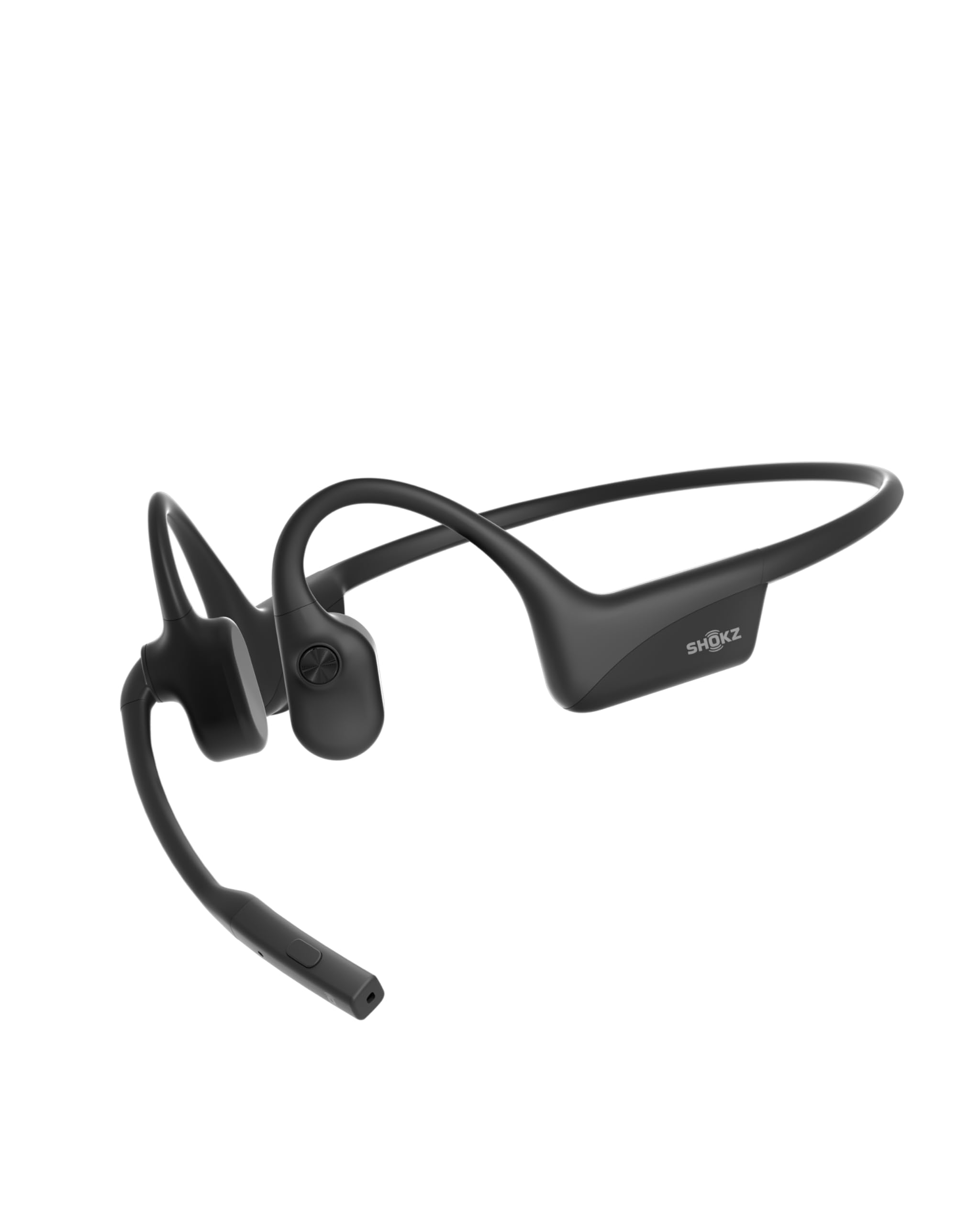
- Noise-canceling microphone and DSP are aimed at clear calls.
- Multipoint pairing connects two devices simultaneously.
- Up to 16 hours of talk time per charge.
Best For: People who spend much of the workday on calls and want open-ear awareness.

JLab Go Work

- Boom mic rotates out of the way for listening.
- A red LED indicates when mute is on.
- Bluetooth multipoint connects two devices simultaneously.
Best For: Remote workers who want a headset with a boom microphone and quick mute control.
JLab JBuds Lux ANC
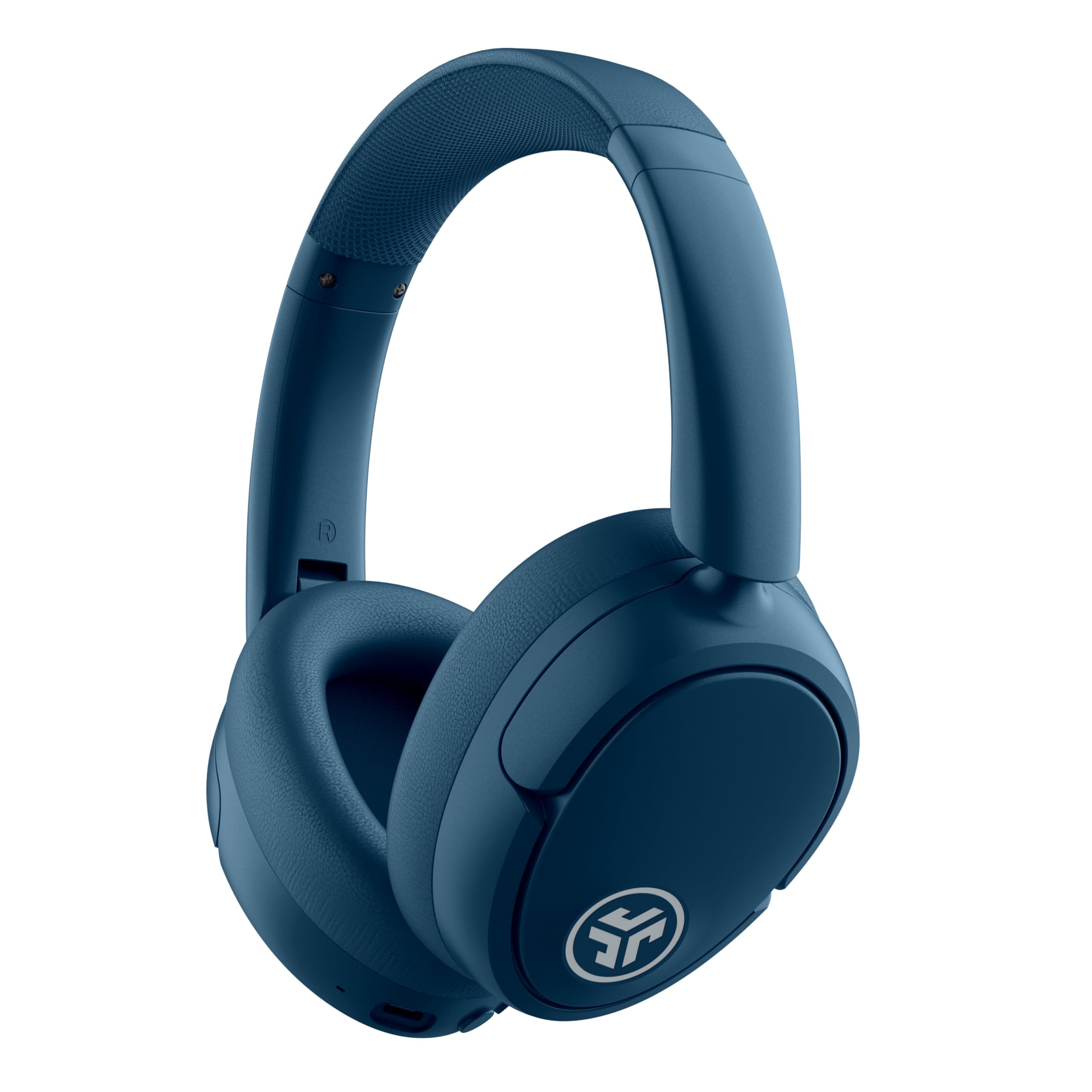
- Hybrid ANC is rated to block up to 35 dB of noise.
- Bluetooth multipoint connects two devices at once.
- ANC mode has 40+ hours of listed battery life.
Best For: Workers who want over-ear headphones with ANC and simultaneous phone and laptop pairing.
TREBLAB Z2
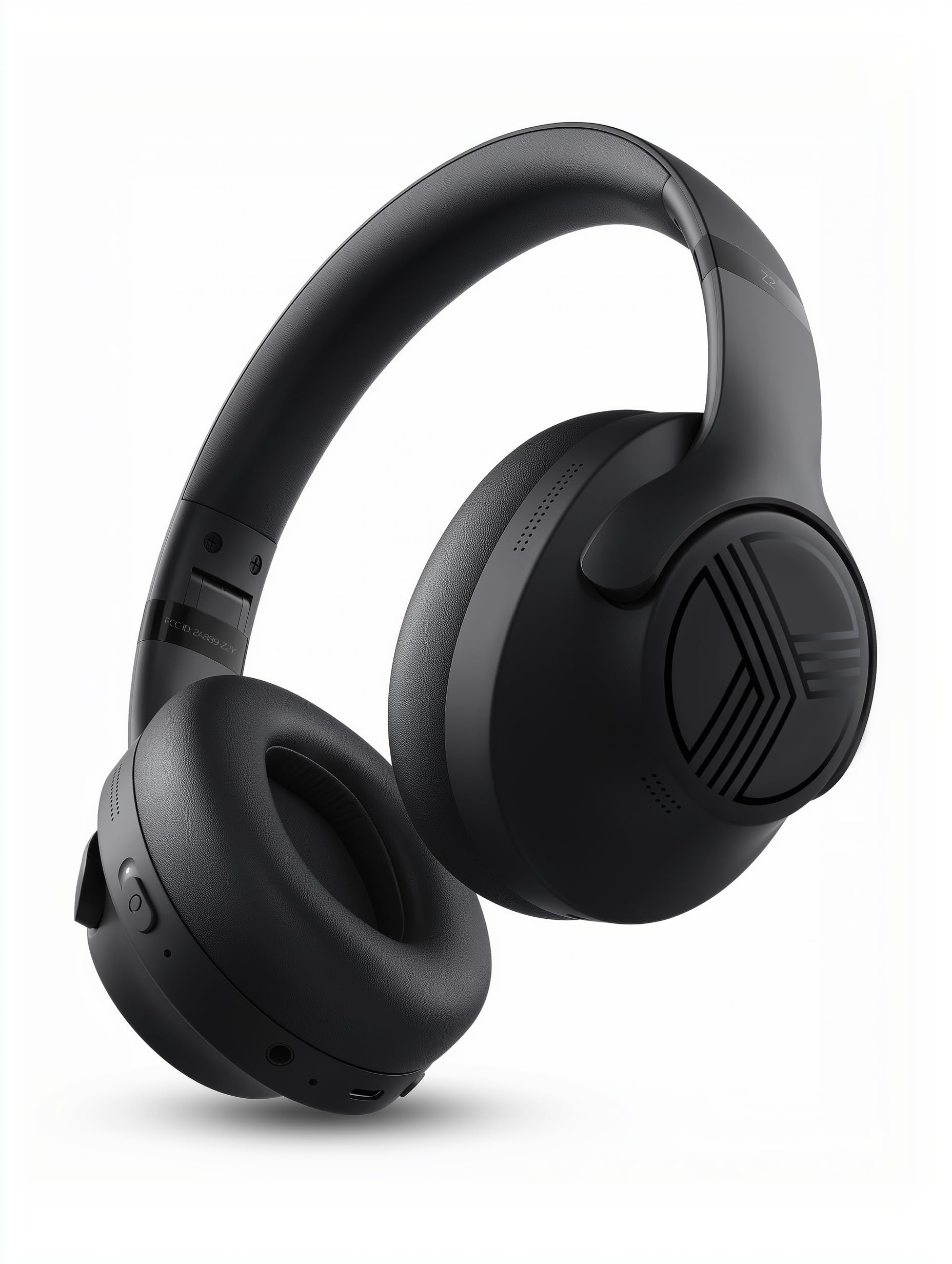
- Hybrid ANC and Bluetooth multipoint are included.
- The battery is rated for 58 hours of playtime.
- A 3.5mm AUX connection provides wired backup.
Best For: People looking for over-ear ANC headphones with multipoint and wired backup.
JLab Studio Pro
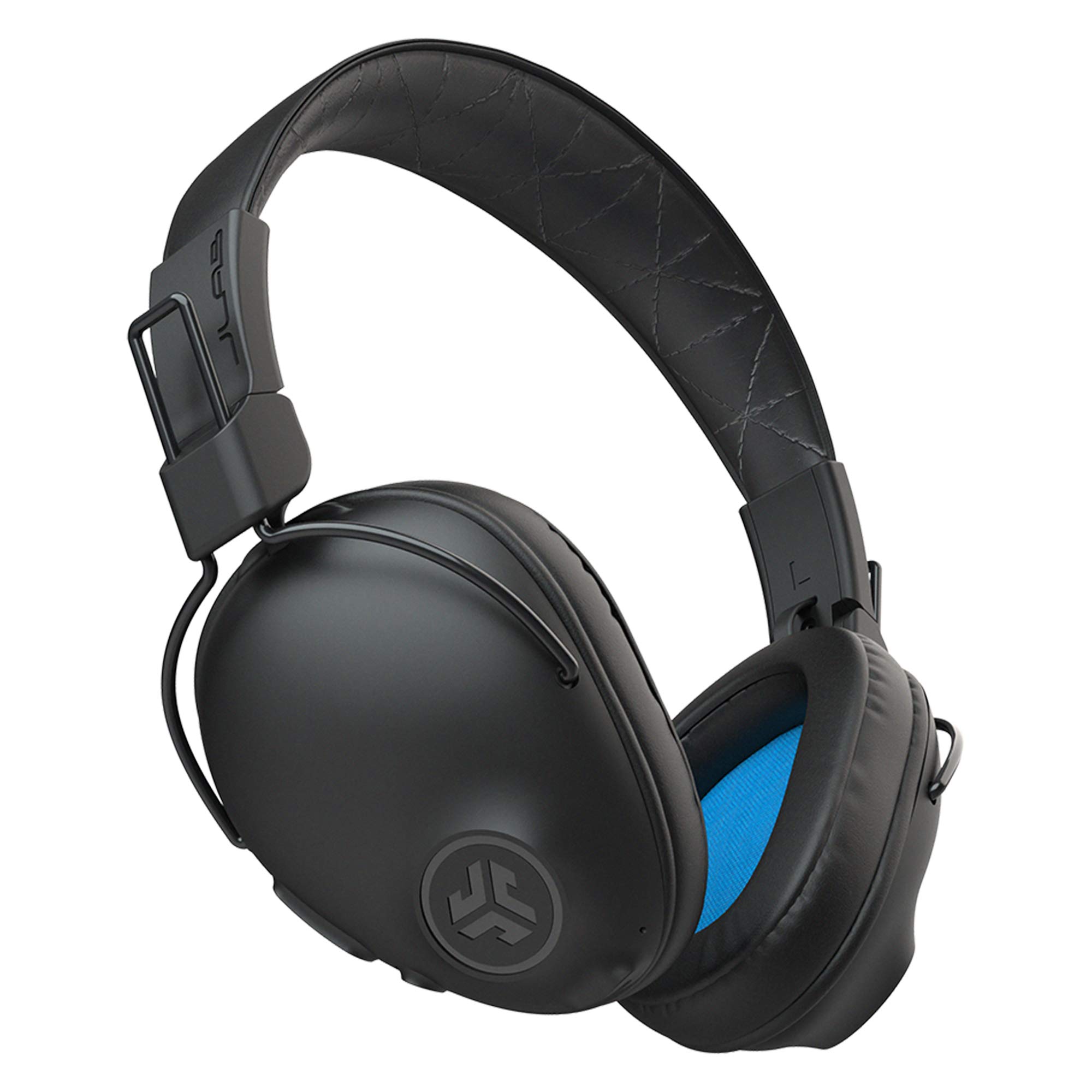
- Wireless listening is rated at 50+ hours.
- Three EQ modes are available on the earcup.
- The built-in microphone handles calls.
Best For: Workers wanting simple over-ear wireless headphones for calls and everyday audio.
JLab Studio Wireless

- The battery is rated for 30+ hours of playtime.
- Three onboard EQ presets provide sound choices.
- The foldable design packs for commutes.
Best For: Commuters and desk workers who want foldable wireless headphones with a built-in mic.
Samson SR350
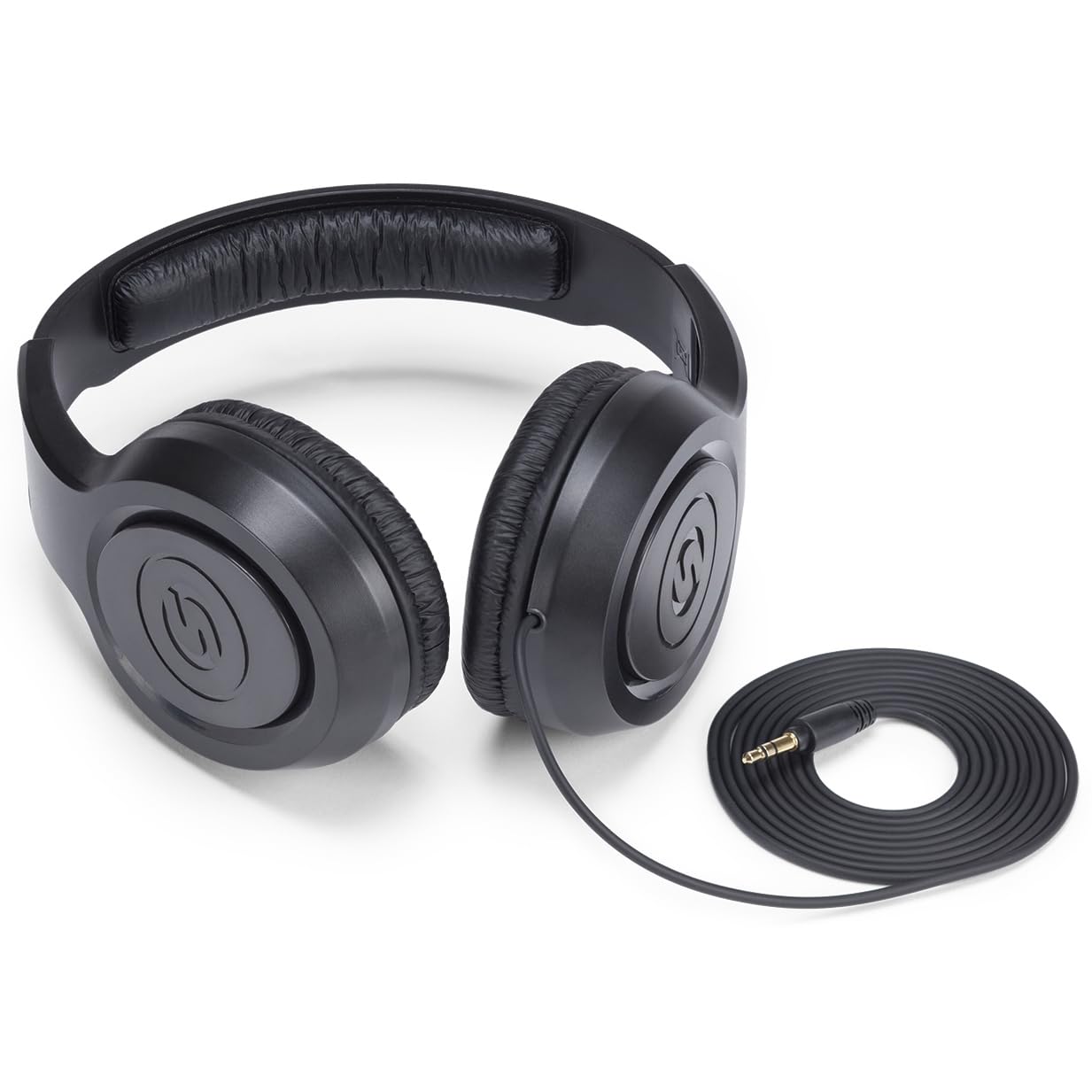
- Closed-back over-ear design has cushioned ear cups.
- The lightweight design is suited to listening and practice.
- The adjustable headband helps set the fit.
Best For: Workers who want simple wired over-ear headphones for a stationary computer setup.
SteelSeries Arctis Nova Pro Wireless
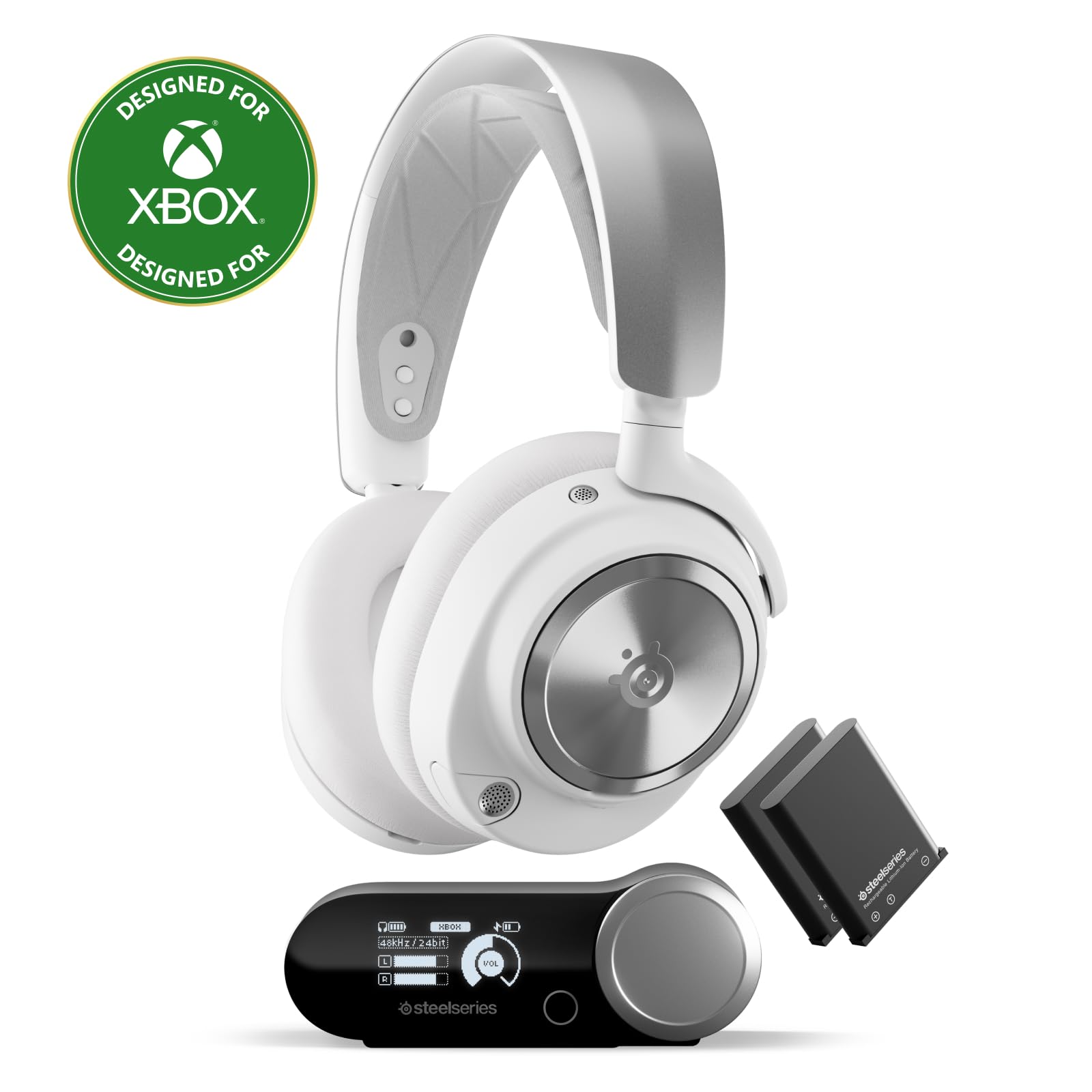
- It can connect two systems at once.
- ANC and Transparency Mode are available.
- Two hot-swappable batteries support continuous use.
Best For: Workers who also need a headset shared across a gaming setup and work devices.
SHOKZ OpenRun Mini
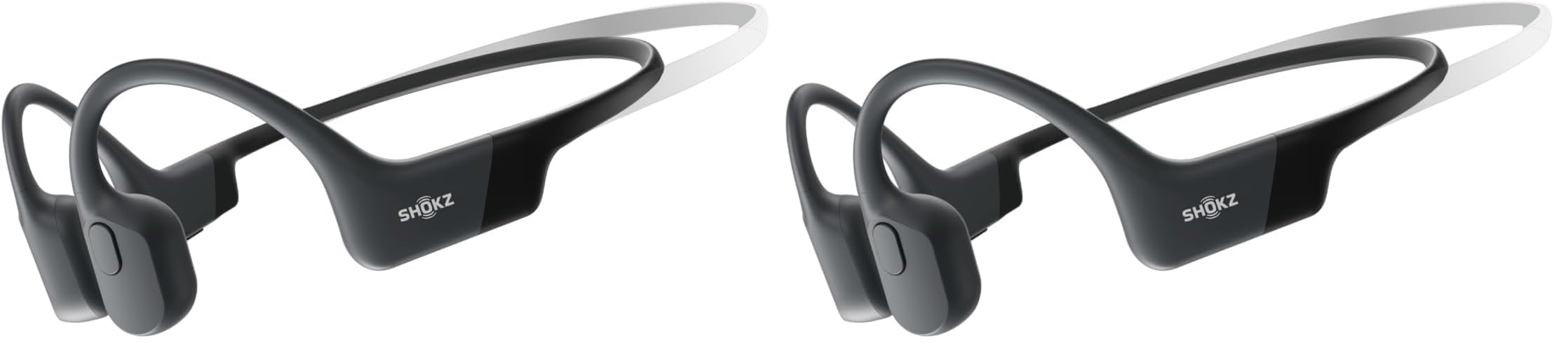
- Open-ear design leaves the ear canals unobstructed.
- Battery life is listed as eight hours.
- The offer is a pack of two.
Best For: Workers who want to listen while staying aware of nearby conversations and activity.
SHOKZ OpenFit 2
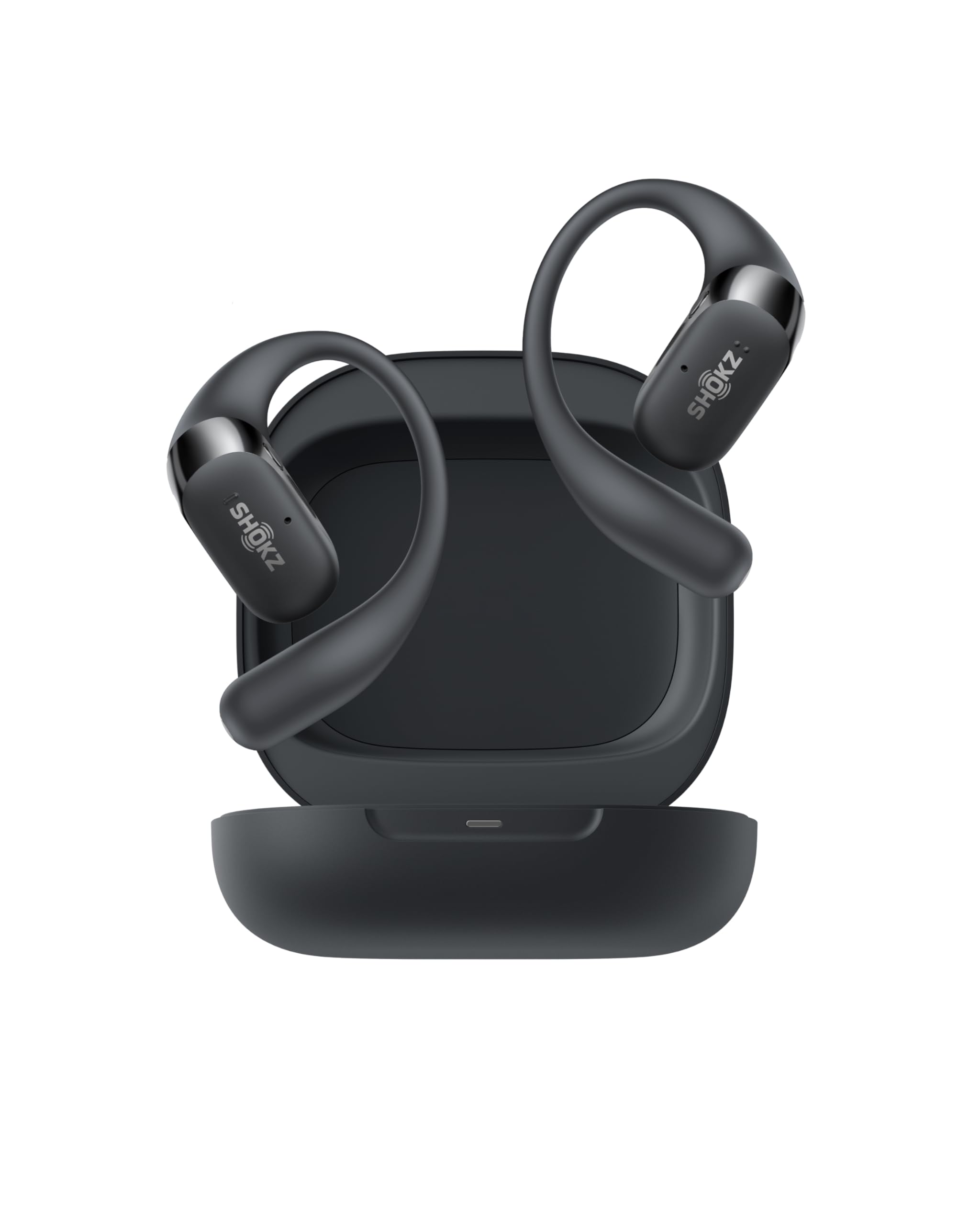
- The open-ear design supports awareness of surroundings.
- Two noise-canceling microphones support phone calls.
- The case provides up to 48 hours total battery life.
Best For: Workers who prefer earhook earbuds and want open-ear awareness with physical controls.
Dedicated headset for work calls
OpenComm2 2025 Upgrade - Open-Ear Bone Conduction Headphones, Wireless Bluetooth Headset with Noise Canceling Mic & Mute Button for Work Calls and Meetings, 16 Hour Talk Time for Mobile & PC - C120
The OpenComm2 is built around work conversations, with a noise-canceling microphone, DSP technology, and physical buttons for muting and volume. Its open-ear bone conduction design leaves your ears unobstructed, which can suit people who want to stay aware of nearby activity while listening.
Multipoint pairing connects two devices, making it easier to switch between a computer and phone. Battery life is specified as up to 16 hours of talk time or 8 hours of listening per charge.
Consider that split when estimating a full day: talk-heavy use and music listening have different stated runtimes.
Best For: People who spend much of the workday on calls and want open-ear awareness.
| Pros | Cons |
|---|---|
|
|
Choose this headset if voice calls are central to your work and you prefer an open-ear fit. The physical mute button and two-device pairing are practical for moving between meeting devices.
Its stated listening runtime is lower than its talk runtime, so consider which use dominates your day. Check that the Bluetooth connection and included charging setup suit your computer and phone.
Boom mic with visible mute status
JLab Go Work Wireless Headsets with Microphone, 45+ Playtime PC Bluetooth Headset and Multipoint Connect to Laptop Computer and Mobile, Wired or Wireless Headphones (1 Pack)
The Go Work pairs an on-ear design with a rotating boom microphone, dual-microphone calling, and a red LED that indicates when mute is on. That visible status can help during video meetings, while the headset controls also handle playback, volume, and calls.
Bluetooth multipoint connects two devices at once, and the included USB-C to 3.5mm cable offers a wired option. JLab gives this model 45+ hours of playtime, making it a practical choice for people who prefer not to charge every day.
Its on-ear fit is a different feel from a full over-ear headset, so consider comfort over your typical meeting length.
Best For: Remote workers who want a headset with a boom microphone and quick mute control.
| Pros | Cons |
|---|---|
|
|
Pick the Go Work when meeting controls and a boom mic matter more than a fully enclosing fit. The mute indicator, multipoint pairing, and wired cable give it flexible call setup options.
Compare it with the OpenComm2 if you prefer open-ear listening, or with ANC models if blocking office chatter is a priority. Before buying, check the computer's ports and whether on-ear cushions suit your usual meeting duration.
Noise reduction for focused desk sessions
JLab JBuds Lux ANC, Over Ear Headphones, Active Noise Cancelling, Bluetooth, Limited Edition Navy
The JBuds Lux ANC combines over-ear Cloud Foam cushions with hybrid active noise cancellation and a Be Aware mode that lets in surrounding sound. Its Bluetooth multipoint feature connects a phone and laptop simultaneously, so it fits a work setup that alternates between calls and computer audio.
Battery life is listed as 70+ hours overall and 40+ hours with ANC enabled. The JLab app adjusts ANC and Be Aware levels, EQ, and touch controls.
There is no water-resistance rating in the product details, so these are better suited to an indoor desk than damp or sweaty use.
Best For: Workers who want over-ear headphones with ANC and simultaneous phone and laptop pairing.
| Pros | Cons |
|---|---|
|
|
Choose the JBuds Lux ANC if you want over-ear listening, noise reduction, and a phone-plus-laptop connection for desk work. Its listed battery life is lower with ANC enabled, so decide whether noise control or the longest interval between charges matters more.
The Be Aware mode offers a way to hear surroundings without removing the headset. Check the app and touch controls are comfortable for your workflow.
Long battery with laptop and phone pairing
TREBLAB Z2 Wireless Over Ear Headphones Bluetooth, Hybrid ANC, 58H | IPX4 Sweatproof, Foldable with Case, Multipoint BT 5.3, Gaming Mode 65ms, 40mm Driver, 2-3H Charge Time
The TREBLAB Z2 offers hybrid active noise cancellation, Bluetooth multipoint, and a foldable over-ear design. Multipoint can keep a phone and laptop connected together, while its 3.5mm AUX input provides a wired fallback.
The product notes give a 58-hour playtime figure and a 2–3-hour USB-C charge time. Four physical buttons control volume, ANC, playback, and voice assistant access.
The notes describe its four microphones as cutting office chatter along with gym and traffic noise, though they do not give a separate microphone call-quality detail. If meetings are your priority, compare its controls and mic specifics with a dedicated call headset.
Best For: People looking for over-ear ANC headphones with multipoint and wired backup.
| Pros | Cons |
|---|---|
|
|
The Z2 suits workers who want one over-ear pair for desk use and travel, particularly when wired backup and simultaneous phone-and-laptop pairing are useful. Its stated 58-hour playtime is a listening figure, not a call-specific runtime.
If frequent meetings are the main use, the Go Work or OpenComm2 gives more explicit call controls and microphone details. Check whether the physical buttons and over-ear fit match your preferences.
Foldable over-ear wireless listening
JLab, Studio Pro, Wireless Over Ear Headphones, Bluetooth 5, EQ3 Sound, Foldable, Black
The JLab Studio Pro is a straightforward over-ear option with Bluetooth 5, a built-in microphone, foldable construction, and three EQ modes available on the earcup. It lists 50+ hours of wireless playtime and USB-C charging.
Its EQ choices let you switch among JLab Signature, Balanced, and Bass Boost without opening an app. The microphone handles calls, but the supplied details do not describe a boom mic or noise-reduction system for voice pickup.
This model makes most sense for people who value long wireless listening and simple onboard controls more than advanced conferencing features.
Best For: Workers wanting simple over-ear wireless headphones for calls and everyday audio.
| Pros | Cons |
|---|---|
|
|
Choose the Studio Pro for everyday work listening when a built-in mic is enough and you value foldability, long battery life, and direct EQ controls. For noisy shared spaces or call-heavy schedules, the JBuds Lux ANC or a dedicated boom-mic headset has more explicit call or noise-control features.
Check your device's Bluetooth setup and consider whether you need the multipoint connection available on some other options.
Compact on-ear Bluetooth option
JLab, Studio, Wireless On-Ear Headphones, Bluetooth, Foldable, Built-in Mic, Black
The JLab Studio Wireless uses an on-ear fit and folds for easier packing. Bluetooth 5 supports wireless listening, and the built-in microphone handles calls and voice commands.
Its 30+ hours of playtime and three onboard EQ presets cover routine music, podcast, and work audio without needing an app for sound-mode changes. The product notes identify compatibility with iOS, Android, and PC.
They do not describe ANC or a dedicated boom microphone, so this is a simpler general-purpose choice than call-focused headsets. Its compact design can suit a commute as well as a work bag.
Best For: Commuters and desk workers who want foldable wireless headphones with a built-in mic.
| Pros | Cons |
|---|---|
|
|
This is a useful fit if you want a foldable wireless pair for ordinary desk listening, calls, and commuting. Its built-in mic supports calls, but no boom placement or noise cancellation is specified.
If your work depends on clear conferencing in a busy room, compare the microphone details on the Go Work or OpenComm2. Check the on-ear fit and whether one-device-at-a-time pairing works with your devices.
Wired over-ear listening for a fixed desk
Samson SR350 Over-Ear Stereo Headphones
The Samson SR350 is a wired, closed-back over-ear headphone with cushioned ear cups and an adjustable headband. Its lightweight design is aimed at music listening, practice, and recording, and the product description also identifies home listening as a use.
A wired connection avoids charging and wireless pairing, which can be convenient at a fixed desk with a compatible headphone output. The supplied details do not identify a built-in microphone, inline controls, or a wireless connection.
Treat it as a listening-focused pair and check whether your computer or dock has the headphone connection it needs.
Best For: Workers who want simple wired over-ear headphones for a stationary computer setup.
| Pros | Cons |
|---|---|
|
|
Consider the SR350 for a fixed desk where listening is the priority and a wired connection is convenient. The closed-back over-ear design and cushioned cups distinguish it from open-ear options that keep nearby sounds audible.
The supplied information does not establish call support, so choose a headset with an explicit microphone if meetings are frequent. Check your computer's audio connection before buying.
Multi-system gaming headset with ANC
SteelSeries Arctis Nova Pro Wireless Xbox Multi-System Gaming Headset - Neodymium Magnetic Drivers - Active Noise Cancellation - Infinity Power System - Xbox, PC, PS5, PS4, Switch, Mobile - White
The Arctis Nova Pro Wireless is a gaming headset that can also serve desk work when its broad system support fits your setup. It connects two systems at once, offers active noise cancellation with Transparency Mode, and can mix Bluetooth phone audio with other sound.
Its base station keeps a spare hot-swappable battery charging, and onboard profiles adjust game audio. These features are geared toward gaming and multi-system use rather than office calls specifically.
The product details do not describe microphone noise reduction for conferencing, so people who spend the day in meetings should weigh that gap against its connection flexibility.
Best For: Workers who also need a headset shared across a gaming setup and work devices.
| Pros | Cons |
|---|---|
|
|
Choose this headset if you need one system for gaming and work devices, and can make use of its base station and simultaneous Bluetooth audio. Its ANC and Transparency Mode offer listening flexibility, but the supplied details focus on gaming features rather than conferencing.
For work-first use, compare it with the Go Work or OpenComm2, which specify microphone and mute features. Check that the Xbox version matches your systems.
Open-ear fit for an active workday
SHOKZ OpenRun Mini - Bone Conduction Headphones,Open-Ear Bluetooth Wireless Sport Headphones for Running & Workout,Sweat Resistant, Long 8H Playtime,Mic,with Hair Band-Blue (Pack of 2)
The OpenRun Mini uses bone conduction and a wraparound, open-ear frame, leaving the ear canals unobstructed. That makes it a distinctive option for desk environments where hearing nearby people matters, though it does not isolate office chatter.
It supports Bluetooth calls and podcasts, with an 8-hour continuous listening figure and a quick charge that provides up to 1.5 hours after 10 minutes. The product title identifies this offer as a pack of two and includes a headband, so confirm the quantity and bundle match your needs.
Its sweat and waterproof rating is aimed at workouts, but it is not suitable for swimming.
Best For: Workers who want to listen while staying aware of nearby conversations and activity.
| Pros | Cons |
|---|---|
|
|
Pick the OpenRun Mini if work involves moving around or you want to remain aware of other people while listening. Its open-ear construction trades isolation for awareness, so it is a poor match for noisy spaces where you need quiet focus.
The pack-of-two offer is unusual for a single headset purchase; verify that this quantity is intentional. Check the mini fit works for you and whether eight hours covers your listening pattern.
Open-ear earbuds with long case runtime
SHOKZ OpenFit 2 Open-Ear Headphones,True Wireless Bluetooth Earphones with Microphone,Earhook Earbuds with 48 Hours of Playtime,Fast Charging,IP55 Water-Resistant,with Carrying Bag,Black,Bluetooth5.4
The OpenFit 2 uses open-ear air conduction and lightweight earhooks, leaving the ear canal open while keeping audio available. Its dual noise-canceling microphones support calls, and physical buttons handle volume, track changes, calls, and switching between two paired devices.
Battery life is specified as up to 11 hours per charge and 48 hours with the charging case. The case total is useful across a day with breaks, but it is not the same as continuous single-charge use.
This style suits people who dislike headbands and want to hear some surroundings while working. It offers less isolation than closed-back headphones with ANC.
Best For: Workers who prefer earhook earbuds and want open-ear awareness with physical controls.
| Pros | Cons |
|---|---|
|
|
The OpenFit 2 is a strong style match for workers who want earhooks, open-ear awareness, and physical controls without a headband. Its long total runtime depends on the charging case, so compare the single-charge figure with your longest uninterrupted work period.
If you need quiet focus, an over-ear ANC model is more suitable. Check the earhook fit and whether you are comfortable with sound remaining open to the room.
How to Choose Headphones For Work
How We Picked Headphones for Work
Work headphones need to match the shape of the workday. We prioritized explicit call features, including the Go Work's boom mic and mute indicator and the OpenComm2's noise-canceling microphone and physical controls.
For people who listen while moving between rooms, open-ear models offer a different fit from over-ear ANC headphones.
We also considered device switching, wired backup, fit, and stated battery life. Multipoint appears on several call or open-ear choices, while the Samson SR350 offers a simpler wired connection.
Sport and school products were left out when their features did not fit general desk listening or work calls.
Comparing Headphones for Work
The main divide is between call-first headsets and general listening headphones. The OpenComm2 and Go Work give the clearest dedicated call features; the SteelSeries model adds gaming and multi-system support.
The JBuds Lux ANC and TREBLAB Z2 focus more on noise reduction and wireless listening, while the JLab Studio models offer simpler foldable designs.
Open-ear choices such as the OpenRun Mini and OpenFit 2 preserve awareness of nearby activity, but they do not create a quiet listening environment. Over-ear headphones cover more of the ear, and ANC models add active noise control.
Consider whether you need to hear coworkers, reduce room noise, or move between phone and computer audio.
| Product | Standout features | Best for |
|---|---|---|
| SHOKZ OpenComm2Check Price |
| People who spend much of the workday on calls and want open-ear awareness. |
| JLab Go WorkCheck Price |
| Remote workers who want a headset with a boom microphone and quick mute control. |
| JLab JBuds Lux ANCCheck Price |
| Workers who want over-ear headphones with ANC and simultaneous phone and laptop pairing. |
| TREBLAB Z2Check Price |
| People looking for over-ear ANC headphones with multipoint and wired backup. |
| JLab Studio ProCheck Price |
| Workers wanting simple over-ear wireless headphones for calls and everyday audio. |
| JLab Studio WirelessCheck Price |
| Commuters and desk workers who want foldable wireless headphones with a built-in mic. |
| Samson SR350Check Price |
| Workers who want simple wired over-ear headphones for a stationary computer setup. |
| SteelSeries Arctis Nova Pro WirelessCheck Price |
| Workers who also need a headset shared across a gaming setup and work devices. |
| SHOKZ OpenRun MiniCheck Price |
| Workers who want to listen while staying aware of nearby conversations and activity. |
| SHOKZ OpenFit 2Check Price |
| Workers who prefer earhook earbuds and want open-ear awareness with physical controls. |
Choosing a Headset for Meetings and Calls
For frequent video calls, check how the microphone is positioned and how quickly you can mute it. The Go Work has a rotating boom and a red mute indicator.
The OpenComm2 adds physical mute controls and a noise-canceling microphone. Other selected headphones include built-in microphones, but the supplied details are less specific about voice pickup.
Multipoint pairing can simplify switching between a laptop and phone, but confirm that your meeting device supports the headset's connection method. A wired option can avoid Bluetooth setup at a fixed desk.
The Go Work includes a USB-C to 3.5mm cable, while the Samson is a listening-focused wired choice without a microphone specified.
Picking Work Headphones for Focus or Awareness
For a noisy shared workspace, ANC models such as the JBuds Lux ANC and TREBLAB Z2 are aimed at reducing surrounding sound. Compare whether you want an awareness mode as well: the JBuds Lux includes Be Aware, and the SteelSeries headset offers Transparency Mode.
Noise control for listening does not by itself establish microphone noise reduction on calls.
Open-ear options suit people who want to hear nearby conversation or office activity. The OpenComm2, OpenRun Mini, and OpenFit 2 use open-ear designs, though their fit differs between a headset frame and earbuds.
If your work requires concentration in a loud room, weigh that awareness against the isolation of an over-ear design.
Who Should Buy Which Headphones for Work?
Choose the OpenComm2 or Go Work for a call-heavy schedule with explicit microphone and mute features. Consider the JBuds Lux ANC or TREBLAB Z2 if listening focus, over-ear fit, and multipoint connections matter more.
The OpenFit 2 and OpenRun Mini suit people who prefer open-ear awareness, while the Studio Pro and Studio Wireless cover straightforward foldable wireless listening.
For a fixed desk and no need for a headset microphone, the Samson SR350 is a wired listening option. If you share a gaming setup, the SteelSeries Arctis Nova Pro Wireless has the system switching and battery design to consider.
Before choosing, match fit, connection type, and the specific controls you will use every workday.