The VIVO Aluminum Tall Extended Ultrawide Monitor Arm review is for buyers who need one arm to support a large display while preserving more usable desk space.
Its extended pole, pneumatic height movement, and clamp or grommet mounting make it a flexible choice, provided your monitor and desk fit the specified limits.
VIVO Monitor Arm Review Summary
The quick verdict
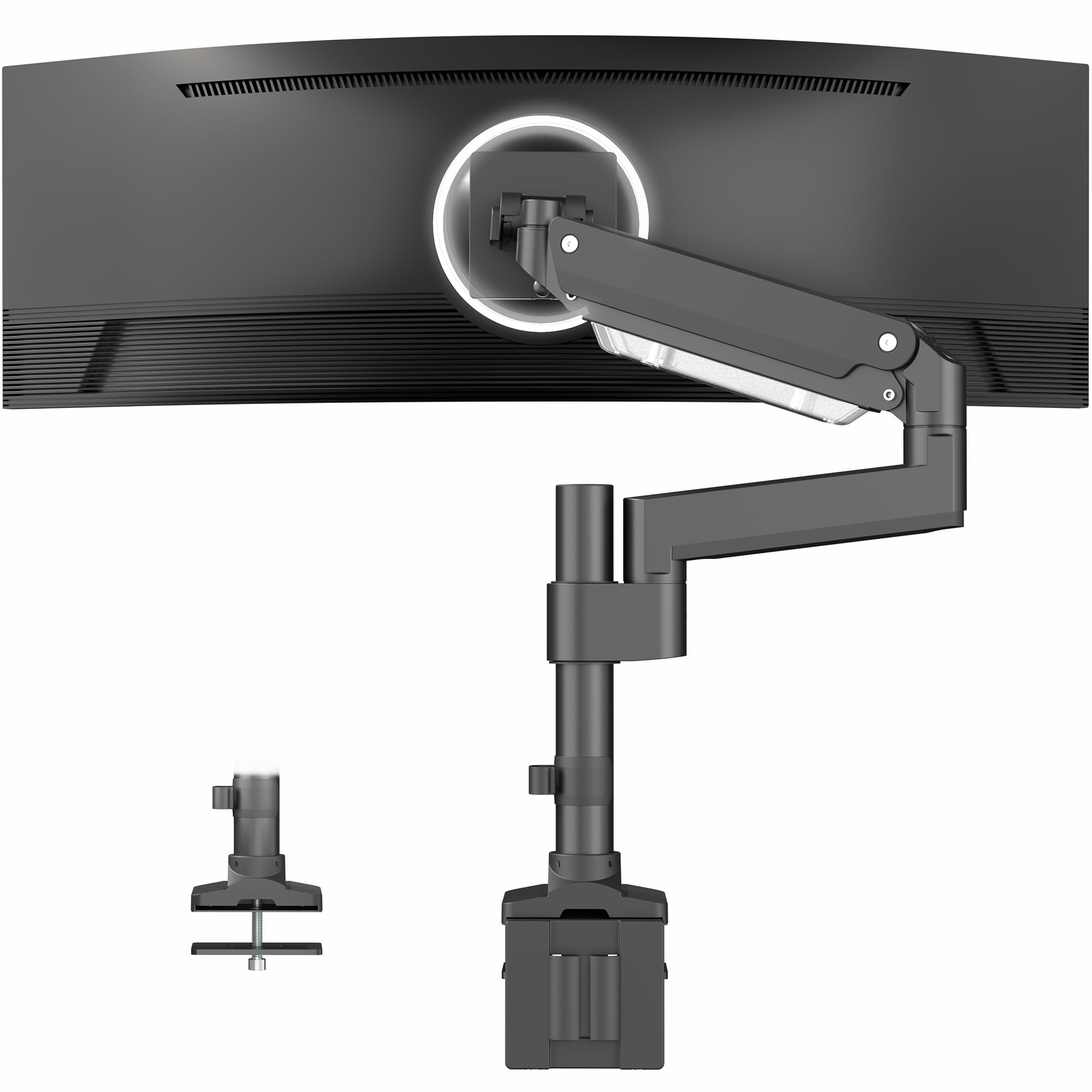
1,000+ ratings
Read Amazon ReviewsVIVO STAND-V101GT Monitor Arm
A tall, single-screen arm for desk setups with a large ultrawide or curved monitor that needs flexible positioning and broad height adjustment.
- Supports one ultrawide monitor up to 49 inches or a standard flat or curved monitor up to 32 inches, with a maximum weight of 33 pounds.
- Uses VESA mounting patterns of 75×75mm or 100×100mm; a separate adapter is needed if the monitor lacks VESA holes.
- Offers -45° to +45° tilt, 180° swivel, 180° rotation, and 13 inches of height adjustment through a pneumatic spring lift.
- Includes a 13-inch extension pole for additional height adjustment.

Pros
- Supports a single ultrawide display up to 49 inches, with a 33-pound weight limit.
- Pairs pneumatic height adjustment with an extension pole for a tall mounting position.
Consider before buying
- The 49-inch size limit does not replace the 33-pound weight limit; check both your monitor’s size and weight.
- A monitor without 75×75mm or 100×100mm VESA holes needs an adapter that is not included.
Read the full review summary
The STAND-V101GT combines an aluminum arm with a 13-inch extension pole and pneumatic lift, giving a single monitor a wide range of positioning options.
It accommodates ultrawides up to 49 inches, as well as standard flat or curved screens up to 32 inches, with a maximum supported weight of 33 pounds. VESA 75×75mm and 100×100mm mounting patterns are supported.
Its strongest appeal is the combination of large-screen capacity, an extended mounting height, and two desk attachment options. The quick-release VESA plate can simplify fitting the monitor, and cable management is built into the setup.
Before buying, check the display’s weight and VESA pattern, then confirm that the desk thickness falls within the clamp or grommet range.
The buying factors
VIVO Monitor Arm Scorecard
Editorial scores reflect listed features and buyer fit; they are not laboratory measurements or customer ratings.
Large-screen compatibility
Supports ultrawides up to 49 inches and standard flat or curved screens up to 32 inches, subject to the weight limit.
Weight capacity
The 33-pound maximum gives this single arm room for heavier displays, while the monitor still needs to stay within the limit.
Height range
The 13-inch extension pole adds height adjustment beyond the arm’s 13 inches of pneumatic lift.
Viewing adjustment
Tilt, swivel, rotation, and height movement support several viewing positions for a single monitor.
Mounting flexibility
Clamp and grommet options accommodate different desk layouts, with different thickness limits for each.
Setup convenience
A quick-release VESA plate and cable management help simplify installation and keep cords routed along the mount.
Key Features and Specifications of VIVO Monitor Arm
- Supports one ultrawide monitor up to 49 inches or a standard flat or curved monitor up to 32 inches, with a maximum weight of 33 pounds.
- Uses VESA mounting patterns of 75×75mm or 100×100mm; a separate adapter is needed if the monitor lacks VESA holes.
- Offers -45° to +45° tilt, 180° swivel, 180° rotation, and 13 inches of height adjustment through a pneumatic spring lift.
- Includes a 13-inch extension pole for additional height adjustment.
- Attaches with a desk clamp for surfaces 0.4 to 3.3 inches thick or with a grommet mount for surfaces 0.4 to 1.9 inches thick.
- Features an aluminum arm, quick-release VESA plate, and cable management; the product carries a three-year warranty.
Pros and Cons of VIVO Monitor Arm
Pros
- Supports a single ultrawide display up to 49 inches, with a 33-pound weight limit.
- Pairs pneumatic height adjustment with an extension pole for a tall mounting position.
- Offers useful tilt, swivel, and rotation adjustments for refining screen placement.
- Provides both clamp and grommet mounting options across specified desk thickness ranges.
- Quick-release VESA hardware and cable management are practical details for installation and a tidier workspace.
Consider before buying
- The 49-inch size limit does not replace the 33-pound weight limit; check both your monitor’s size and weight.
- A monitor without 75×75mm or 100×100mm VESA holes needs an adapter that is not included.
- The clamp and grommet have different thickness limits, so some desk layouts may not suit either mounting method.
Who Should Buy VIVO Monitor Arm?
Good fit
Consider the STAND-V101GT if you want to mount one large ultrawide or a standard screen and need more height flexibility than a basic desk stand provides.
Its pneumatic lift, extension pole, and full set of screen adjustments can help tailor placement to your desk and viewing position.
It is especially worth considering when keeping the desktop clear matters and your desk can accept either the clamp or grommet mount.
Confirm your monitor’s VESA pattern and weight before choosing; the arm supports up to 33 pounds and uses 75×75mm or 100×100mm mounting points.
Who should skip it
Look elsewhere if you need support for two or more screens, or if your monitor exceeds the 33-pound limit or falls outside the supported screen-size ranges.
Check another mounting approach if your desk thickness is outside both the clamp and grommet ranges, or if your monitor needs a VESA adapter you do not plan to source separately.
How the VIVO Monitor Arm fits a large-screen desk
Capacity for a single large display
The arm is built around one screen, with support for ultrawides up to 49 inches and standard flat or curved monitors up to 32 inches.
Size alone does not determine fit: the display must also weigh no more than 33 pounds and have a compatible VESA pattern. Check the exact screen model’s mounting layout and weight before installation.
Height and movement options
The pneumatic spring lift provides 13 inches of height adjustment, while the extension pole adds further vertical range. Tilt from -45° to +45°, swivel through 180°, and rotation through 180° provide ways to adjust angle and orientation.
These adjustments are useful when you need to place the display around a particular desk layout, though the best position depends on the screen and workspace.
Choosing a desk attachment
The clamp supports desk thicknesses from 0.4 to 3.3 inches. The grommet mount supports 0.4 to 1.9 inches, offering another installation route when the desk has a suitable opening.
Measure the mounting area and check the underside for clearance before deciding which option fits your setup.
Installation details to check
A quick-release VESA plate can make it easier to attach the monitor before securing it to the arm, and cable management helps guide cords along the mount. The VESA plate supports 75×75mm and 100×100mm patterns.
If your display has no VESA holes, plan for a separate compatible adapter because one is not included.
Alternatives to VIVO Monitor Arm
Computer Monitor Arms alternative
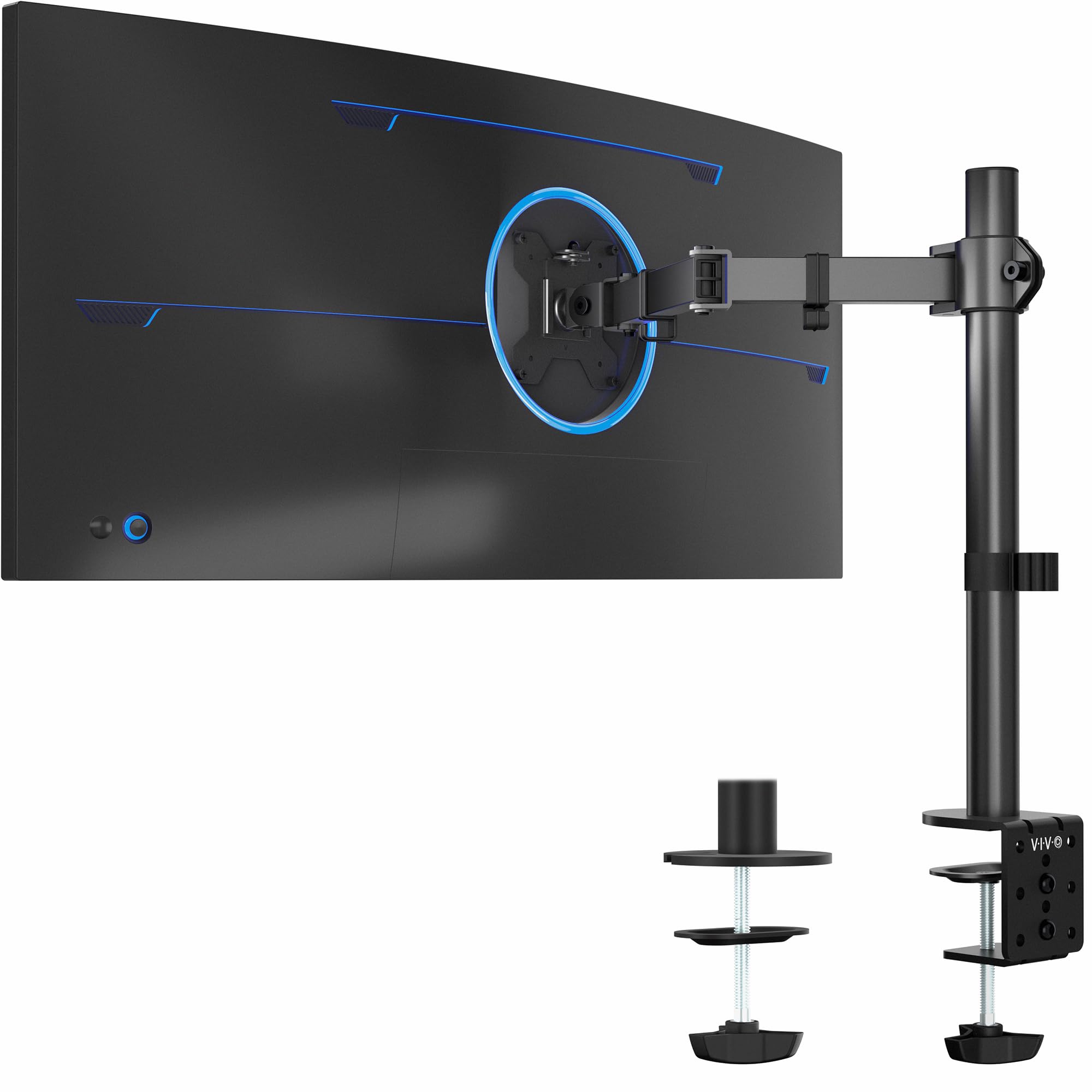
20,000+ ratings
Read Amazon ReviewsVIVO STAND-V001 Single Monitor Desk Mount
Choose the STAND-V101GT when your larger screen or its weight needs the higher stated capacity.
The STAND-V001 is a relevant option for a lighter display up to 38 inches if its center-pole adjustment and mounting approach better fit your workspace.
- The STAND-V001 supports ultrawides up to 38 inches and screens up to 22 pounds.
- It provides up to 16 inches of height adjustment along a center pole, plus tilt, swivel, rotation, and clamp or grommet mounting.
- The STAND-V101GT supports ultrawides up to 49 inches and monitors up to 33 pounds, with pneumatic height movement and a 13-inch extension pole.
Computer Monitor Arms alternative
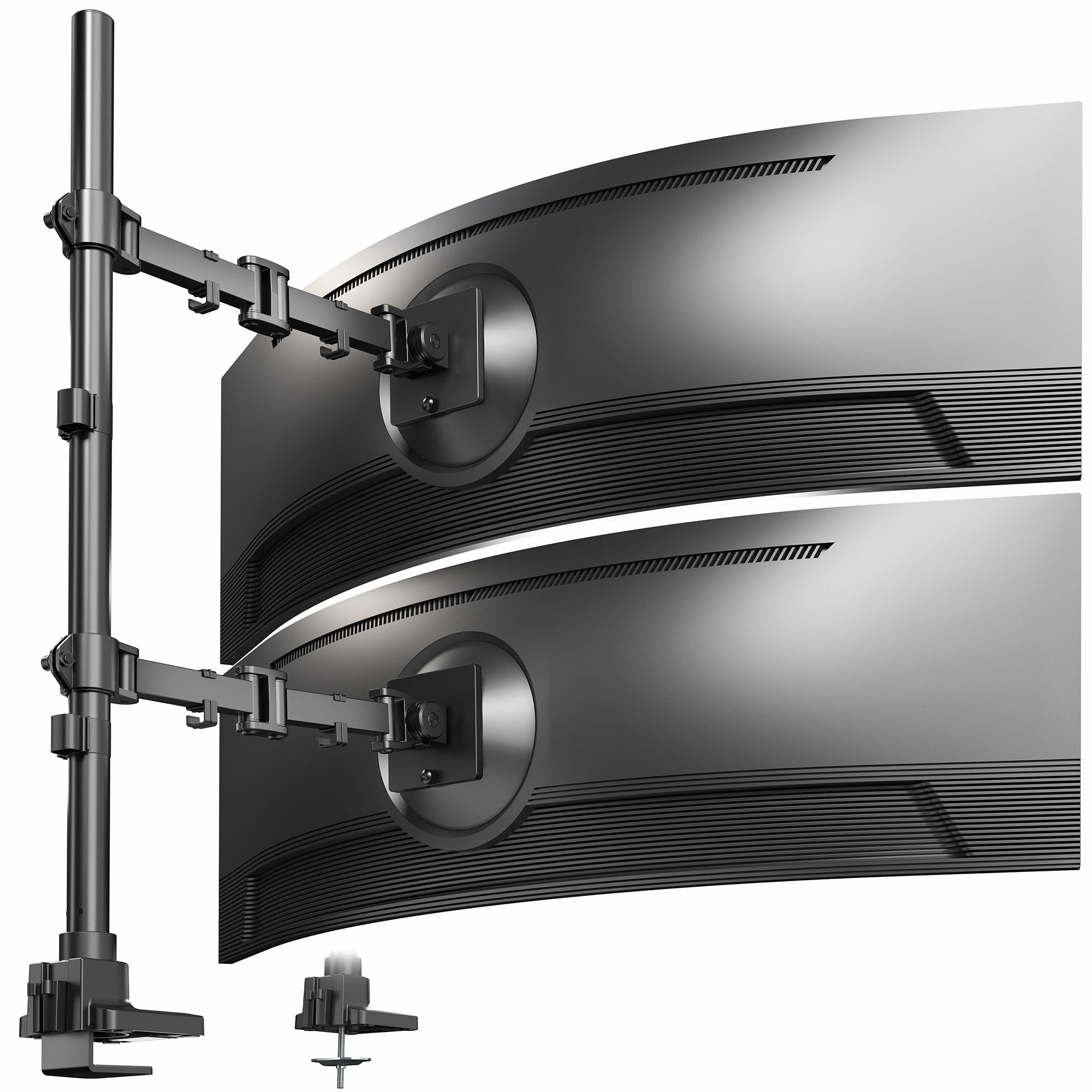
2,000+ ratings
Read Amazon ReviewsVIVO STAND-V120T Dual Ultrawide Monitor Desk Mount
Consider the STAND-V120T if you need to mount two large screens and your desk fits its narrower thickness limits. For one monitor, the STAND-V101GT has the simpler single-arm configuration and broader stated desk thickness range.
- The STAND-V120T holds two ultrawide screens up to 49 inches and 44 pounds each.
- It offers tilt, swivel, rotation, center-pole height adjustment, and cable clips; its clamp fits surfaces up to 1.7 inches thick, while its grommet mount fits up to 1.5 inches.
- The STAND-V101GT is a single-screen arm rated for one display up to 49 inches and 33 pounds, with a clamp or grommet mounting choice.
Is VIVO Monitor Arm Worth It?
The VIVO STAND-V101GT is worth considering if you want a tall, adjustable mount for one large monitor and your screen meets its VESA, size, and weight limits.
The pneumatic lift, extension pole, and clamp or grommet choices give it useful flexibility for different desk setups.
Measure the desk attachment area and verify monitor compatibility before buying, especially if the display is close to the 49-inch or 33-pound maximum.
If your monitor is smaller and lighter, a less specialized arm may also meet your needs; if you need more than one screen, choose a dual-monitor design.
Your review at a glance
1,000+ ratings
Read Amazon ReviewsVIVO STAND-V101GT Monitor Arm
A tall, single-screen arm for desk setups with a large ultrawide or curved monitor that needs flexible positioning and broad height adjustment.
- Supports one ultrawide monitor up to 49 inches or a standard flat or curved monitor up to 32 inches, with a maximum weight of 33 pounds.
- Uses VESA mounting patterns of 75×75mm or 100×100mm; a separate adapter is needed if the monitor lacks VESA holes.
- Offers -45° to +45° tilt, 180° swivel, 180° rotation, and 13 inches of height adjustment through a pneumatic spring lift.
- Includes a 13-inch extension pole for additional height adjustment.