The tp link be3600 review case is strongest for households that want Wi-Fi 7 features and a flexible set of wired ports in one router.
The Archer BE230 is a dual-band model, so its appeal depends on whether its 5 GHz and 2.4 GHz setup fits your devices and internet plan.
Archer BE230 Review Summary
The quick verdict
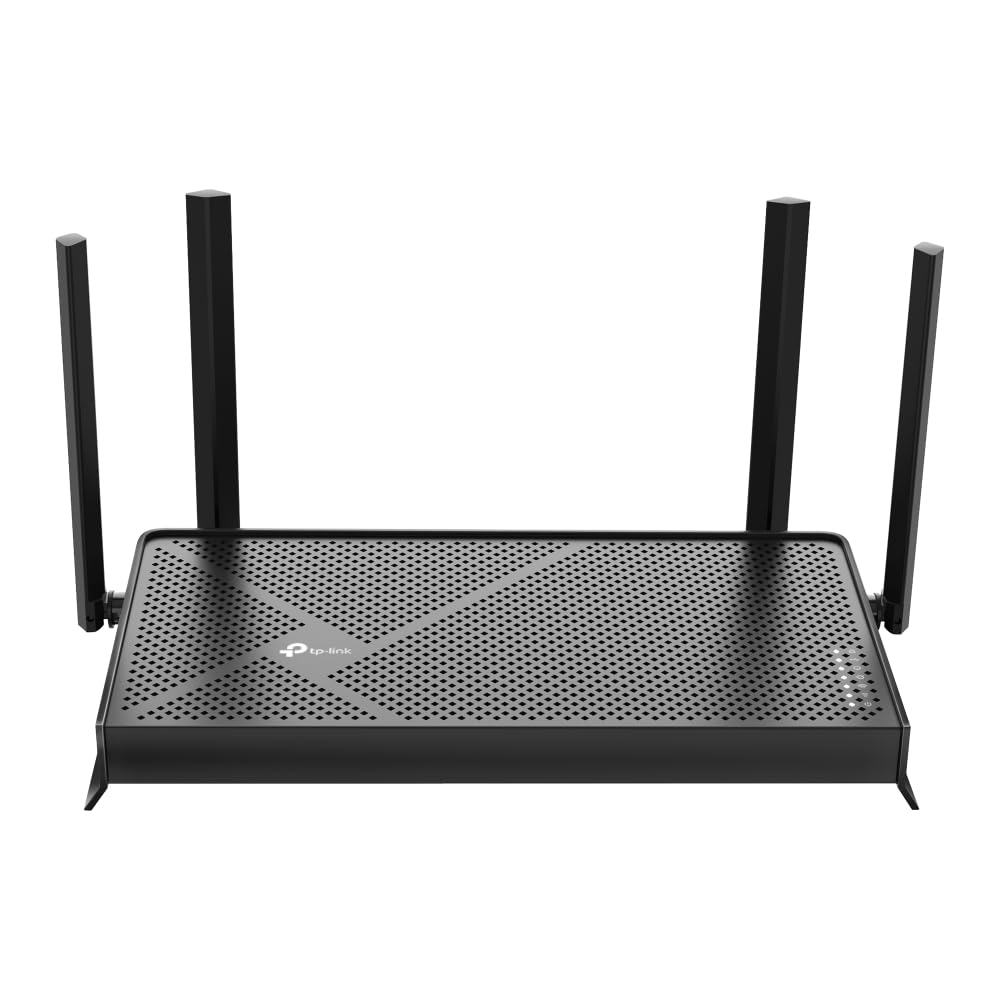
1,000+ ratings
Read Amazon ReviewsTP-Link Archer BE230
A good fit for households seeking Wi-Fi 7, multi-gig wired connections, and app-based setup without needing a 6 GHz band.
- Dual-band Wi-Fi 7 with up to 2882 Mbps on 5 GHz and 688 Mbps on 2.4 GHz; no 6 GHz band.
- Wi-Fi 7 features include Multi-Link Operation, Multi-RUs, and 4K-QAM.
- One 2.5 Gbps WAN/LAN port, one 2.5 Gbps LAN port, and three 1 Gbps LAN ports.
- USB 3.0 port and a 2.0 GHz quad-core processor.

Pros
- Wi-Fi 7 features are paired with practical dual-band operation for compatible devices.
- Two 2.5 Gbps ports allow both a multi-gig connection and a wired multi-gig device, subject to how the network is configured.
Consider before buying
- The dual-band design has no 6 GHz band, which may matter to buyers specifically seeking access to that spectrum.
- The stated coverage and device capacity are upper limits, not guarantees for every home; layout and obstacles can change Wi-Fi reach.
Read the full review summary
The Archer BE230 combines Wi-Fi 7 features such as Multi-Link Operation, Multi-RUs, and 4K-QAM with up to 2882 Mbps on 5 GHz and 688 Mbps on 2.4 GHz.
Its dual 2.5 Gbps ports, three Gigabit LAN ports, and USB 3.0 connection give it useful wired flexibility for a home network with a mix of newer and older equipment.
This design may suit a household with a multi-gig internet plan, wired devices, and Wi-Fi clients that can use newer standards.
Its stated coverage is up to 2,000 square feet for up to 60 devices, but walls, distance, and local conditions affect results.
A separate modem is required, and buyers wanting a 6 GHz band should consider a different design.
The buying factors
Archer BE230 Scorecard
Editorial scores reflect listed features and buyer fit; they are not laboratory measurements or customer ratings.
Wi-Fi 7 feature set
Includes Multi-Link Operation, Multi-RUs, and 4K-QAM, although it operates on two bands and does not support 6 GHz.
Wired connectivity
Two 2.5 Gbps ports, three 1 Gbps LAN ports, and USB 3.0 provide a versatile port selection.
Household capacity
The design is specified for up to 60 devices, a useful stated ceiling for many homes; actual experience depends on network conditions.
Coverage flexibility
Up to 2,000 square feet is the stated coverage, with four internal antennas, beamforming, and EasyMesh support for compatible expansion.
Setup and management
The Tether app handles setup and management, and firmware updates can be managed through the app.
Smart-home controls
HomeShield features, private IoT support, and Alexa or Google Assistant control address several common home-network needs.
Key Features and Specifications of Archer BE230
- Dual-band Wi-Fi 7 with up to 2882 Mbps on 5 GHz and 688 Mbps on 2.4 GHz; no 6 GHz band.
- Wi-Fi 7 features include Multi-Link Operation, Multi-RUs, and 4K-QAM.
- One 2.5 Gbps WAN/LAN port, one 2.5 Gbps LAN port, and three 1 Gbps LAN ports.
- USB 3.0 port and a 2.0 GHz quad-core processor.
- Four internal antennas with beamforming; stated coverage is up to 2,000 square feet for up to 60 devices.
- EasyMesh compatibility, HomeShield network features, and private IoT support.
- Tether app setup and management, voice control with Alexa or Google Assistant, and compatibility with earlier Wi-Fi generations.
Pros and Cons of Archer BE230
Pros
- Wi-Fi 7 features are paired with practical dual-band operation for compatible devices.
- Two 2.5 Gbps ports allow both a multi-gig connection and a wired multi-gig device, subject to how the network is configured.
- Three additional Gigabit LAN ports support wired devices that do not need multi-gig speeds.
- EasyMesh compatibility offers a path to extend coverage with compatible routers or range extenders.
- The app, voice-assistant support, and HomeShield functions provide several ways to manage a home network.
Consider before buying
- The dual-band design has no 6 GHz band, which may matter to buyers specifically seeking access to that spectrum.
- The stated coverage and device capacity are upper limits, not guarantees for every home; layout and obstacles can change Wi-Fi reach.
- A separate modem is needed, so buyers should account for their existing internet equipment when planning setup.
Who Should Buy Archer BE230?
Good fit
Consider the Archer BE230 if your priority is a Wi-Fi 7 router with a useful mix of wired connections.
Its two 2.5 Gbps ports can accommodate a multi-gig internet handoff and a wired device, while the three Gigabit LAN ports cover more conventional connections.
Check your modem, service plan, and device ports before buying to see which connections can actually use multi-gig speeds.
It is also a reasonable design to consider if you want app-based setup, voice-assistant control, and the option to add compatible EasyMesh equipment later.
The stated coverage and device capacity may help with initial planning, but consider your home’s layout and where the router can be placed; signal obstacles can make a single router less suitable for a spread-out or divided floor plan.
For a household with a mix of Wi-Fi generations, backward compatibility may make the transition more straightforward.
Newer Wi-Fi features only help where connected devices support them, so review the capabilities of your most important phones, computers, TVs, and consoles.
Who should skip it
Skip this model if access to 6 GHz is a firm requirement. The Archer BE230 is explicitly dual-band and does not support that band.
Look elsewhere if your plan depends on a higher stated coverage area or support for substantially more devices than this router’s listed limits. For any home, consider placement and construction before relying on a coverage estimate.
How the Archer BE230 fits a Wi-Fi 7 home
Dual-band Wi-Fi 7 in practice
The Archer BE230 brings several Wi-Fi 7 capabilities, including Multi-Link Operation, Multi-RUs, and 4K-QAM, to a two-band design. Its stated wireless rates reach up to 2882 Mbps on 5 GHz and 688 Mbps on 2.4 GHz.
Those are theoretical maximums, not a prediction of the speed any one device will see; the result depends on compatible clients, distance, obstacles, and other conditions.
If 6 GHz is part of your buying checklist, this model’s band selection does not meet that need.
A port layout for mixed equipment
The wired selection is a notable part of the design: one 2.5 Gbps WAN/LAN port, a separate 2.5 Gbps LAN port, and three additional Gigabit LAN ports.
This makes it possible to connect a multi-gig modem or gateway and retain a 2.5 Gbps wired connection, while leaving other ports for standard Gigabit equipment.
Before buying, match the port arrangement to your modem and devices, and remember that a connected device needs a compatible network interface to benefit from a faster port.
Planning coverage and expansion
The stated reach is up to 2,000 square feet, with support for up to 60 devices.
Four internal antennas and beamforming are intended to focus wireless signals, while EasyMesh support offers an expansion route using compatible routers or range extenders.
These features provide useful planning information, but the maximums do not guarantee coverage in every room. For a large or obstructed home, consider where the router can sit and whether compatible mesh equipment would be needed.
Setup, control, and home network tools
The Tether app is the primary setup and management route described for the router, including firmware updates. HomeShield is presented with network protection, parental controls, and IoT security features, while Alexa and Google Assistant can provide voice control.
Buyers who depend on particular parental-control or security functions should check the exact capabilities and any service requirements that matter to them before choosing a router.
Alternatives to Archer BE230
Computer Routers alternative
600+ ratings
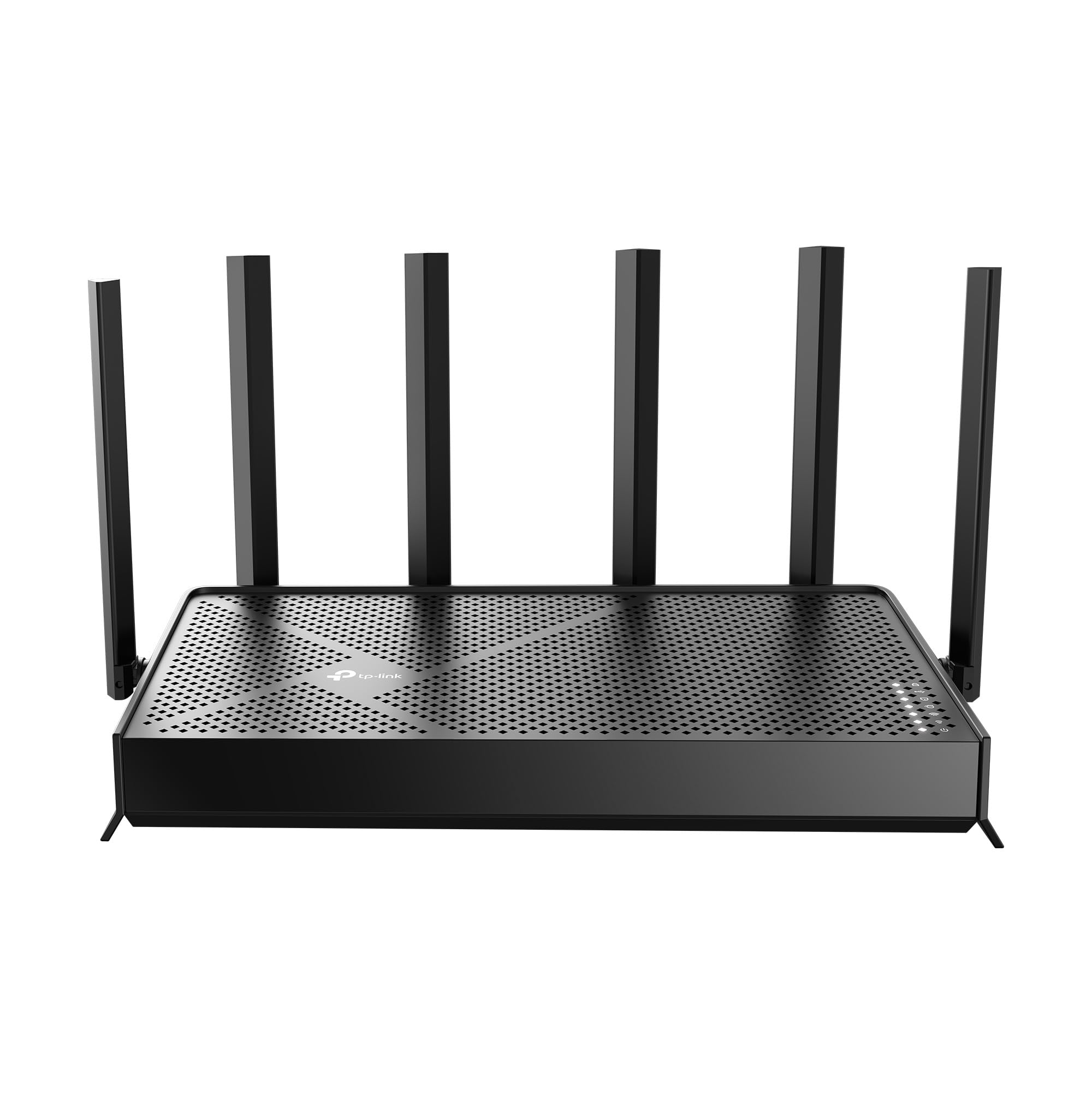
Read Amazon ReviewsTP-Link Archer BE600
Choose the Archer BE230 if its dual-band layout and mix of 2.5 Gbps and Gigabit ports suit your network.
Consider the Archer BE600 if you specifically want a 6 GHz band, more multi-gig LAN ports, a 10 Gbps port, or the higher stated coverage and device limits.
- The Archer BE600 is a tri-band Wi-Fi 7 router with a 6 GHz band, a 10 Gbps WAN/LAN port, one 2.5 Gbps WAN/LAN port, and three 2.5 Gbps LAN ports.
- Its stated coverage is up to 2,600 square feet for up to 120 devices.
- The Archer BE230 is a dual-band Wi-Fi 7 router with no 6 GHz band, two 2.5 Gbps ports, three Gigabit LAN ports, and stated coverage up to 2,000 square feet for up to 60 devices.
Computer Routers alternative
5,000+ ratings
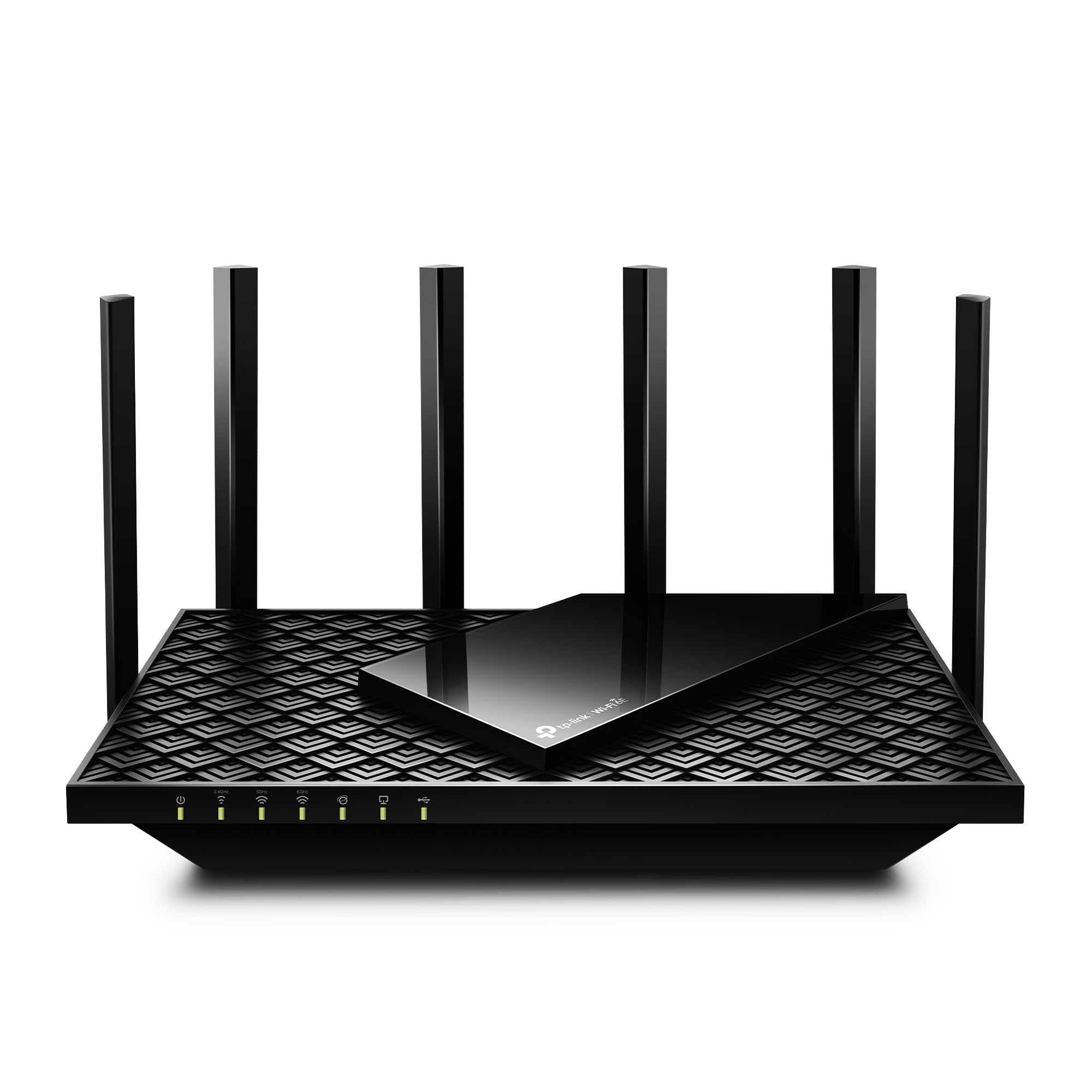
Read Amazon ReviewsTP-Link Archer AXE75
Consider the Archer AXE75 if you want a 6 GHz band and tri-band Wi-Fi 6E, and its single 2.5 Gbps WAN port fits your wired needs.
The Archer BE230 is the more relevant option if you specifically want Wi-Fi 7 features and two 2.5 Gbps ports.
- The Archer AXE75 is a tri-band Wi-Fi 6E router with a 6 GHz band and up to 5400 Mbps combined Wi-Fi speed.
- It supports OneMesh with a compatible extender and includes VPN server and client support.
- The Archer BE230 is a dual-band Wi-Fi 7 model with two 2.5 Gbps ports, three Gigabit LAN ports, and Wi-Fi 7 features including Multi-Link Operation.
Is Archer BE230 Worth It?
The TP-Link Archer BE230 is worth considering if you want Wi-Fi 7 features, practical wired multi-gig options, and app-based management in a dual-band router.
Its port mix is particularly useful for a home with both multi-gig and standard Gigabit devices.
Before choosing it, confirm that dual-band Wi-Fi without 6 GHz fits your plans, that you have or will provide a separate modem, and that its stated coverage and device limits suit your home.
If those tradeoffs work for your setup, the Archer BE230 offers a well-rounded set of home-network features to consider.
Your review at a glance
1,000+ ratings
Read Amazon ReviewsTP-Link Archer BE230
A good fit for households seeking Wi-Fi 7, multi-gig wired connections, and app-based setup without needing a 6 GHz band.
- Dual-band Wi-Fi 7 with up to 2882 Mbps on 5 GHz and 688 Mbps on 2.4 GHz; no 6 GHz band.
- Wi-Fi 7 features include Multi-Link Operation, Multi-RUs, and 4K-QAM.
- One 2.5 Gbps WAN/LAN port, one 2.5 Gbps LAN port, and three 1 Gbps LAN ports.
- USB 3.0 port and a 2.0 GHz quad-core processor.