The SHOKZ OpenComm2 UC Open-Ear Headset review comes down to a clear priority: comfortable, open-ear calling with a dedicated microphone and a computer-focused connection option.
Its lightweight frame, physical controls, and stated talk-time capacity suit workdays with frequent calls, provided you are comfortable with an open-ear listening design.
OpenComm2 UC Review Summary
The quick verdict
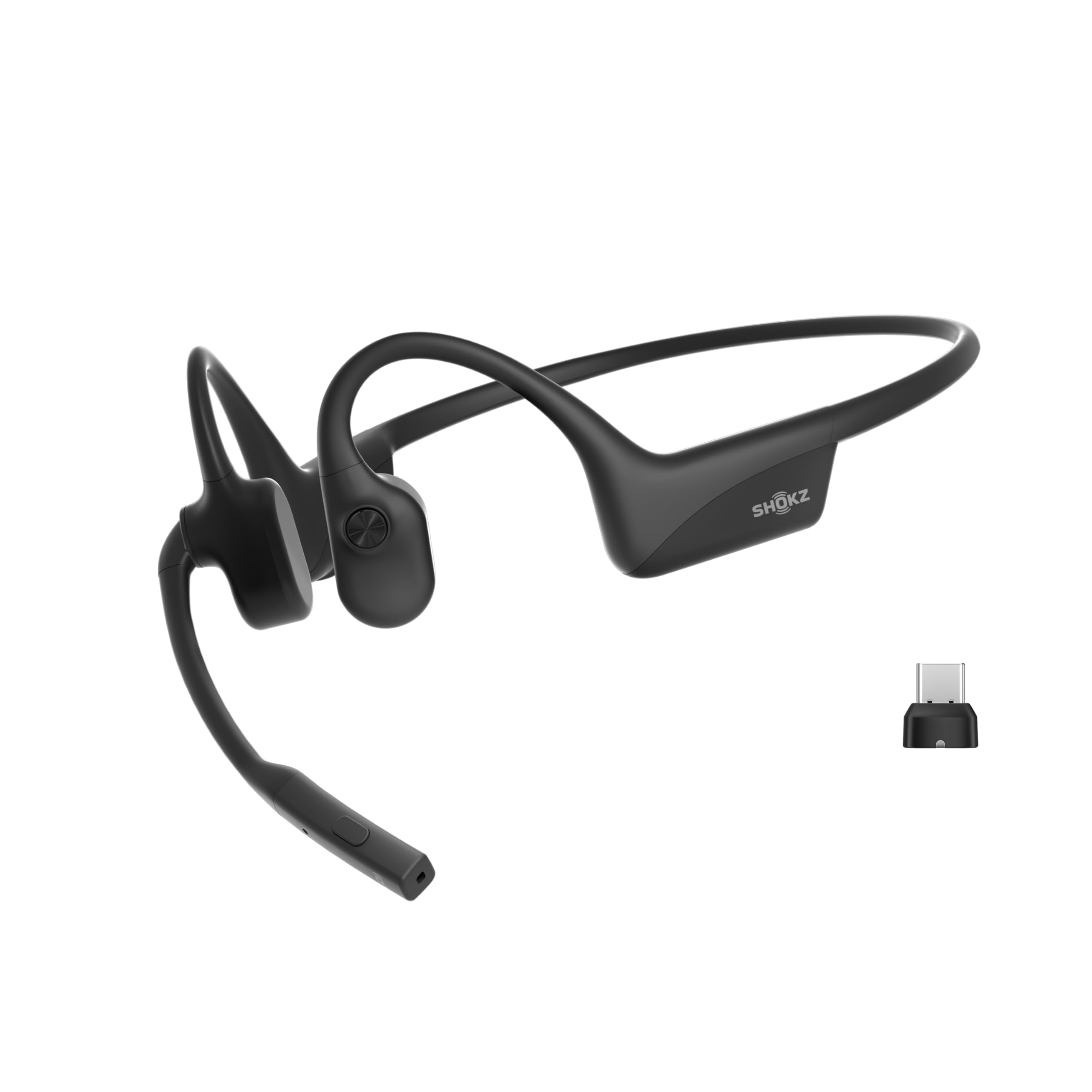
500+ ratings
Read Amazon ReviewsSHOKZ OpenComm2 UC
A lightweight fit, boom microphone, and USB-C adapter make this headset worth considering for people who take frequent computer calls.
- Open-ear bone conduction headphones with Shokz 7th-generation technology and PremiumPitch 2.0 audio.
- Noise-canceling boom microphone with DSP technology for call-focused use.
- Loop120 wireless adapter designed for PC and Mac; the headset is Zoom-Certified.
- Physical headphone buttons control volume, mute and unmute, and audio playback.

Pros
- The boom microphone and DSP make voice calls a clear priority of the design.
- The included Loop120 adapter is aimed at computer use, while Zoom certification may simplify a compatible meeting setup.
Consider before buying
- An open-ear bone conduction design has a different wearing and listening feel from a conventional over-ear or in-ear headset; buyers should confirm they prefer this format.
- Its strongest features are tailored to calls and computer use, which may be more specialized than needed for casual listening.
Read the full review summary
The OpenComm2 UC combines bone conduction audio with a noise-canceling boom microphone and the Loop120 wireless adapter for PC or Mac.
Zoom certification and physical mute, volume, and playback controls make its design especially oriented toward meetings and desk work, while the open-ear fit leaves the ear canals uncovered.
At 35 g, it is designed to be light enough for extended wear, and its flexible frame and IP55 water-resistant finish support a mobile-work setup.
Battery life is listed as up to 16 hours of talk time or 8 hours of listening, with a five-minute charge providing up to two hours of talk time.
Those figures and work-focused features make it a practical candidate for call-heavy routines, though its price and specialized fit may be excessive for occasional listening.
The buying factors
OpenComm2 UC Scorecard
Editorial scores reflect listed features and buyer fit; they are not laboratory measurements or customer ratings.
Call-focused design
A noise-canceling boom microphone with DSP and dedicated mute controls puts calls at the center of the experience.
Computer connection
The Loop120 adapter is intended for PC and Mac use, and Zoom certification supports a meeting-focused setup.
Wearability
The 35 g weight and flexible frame are favorable details for extended wear, though comfort remains personal.
Battery for calls
Up to 16 hours of talk time and a quick-charge option can help cover long workdays.
Listening flexibility
Open-ear bone conduction suits people who prefer uncovered ears, but it is a specialized format rather than a conventional sealed headset.
On-headset control
Physical controls for volume, mute, and playback make common adjustments accessible during use.
Key Features and Specifications of OpenComm2 UC
- Open-ear bone conduction headphones with Shokz 7th-generation technology and PremiumPitch 2.0 audio.
- Noise-canceling boom microphone with DSP technology for call-focused use.
- Loop120 wireless adapter designed for PC and Mac; the headset is Zoom-Certified.
- Physical headphone buttons control volume, mute and unmute, and audio playback.
- Flexible frame, 35 g weight, and IP55 water-resistant soft silicone finish.
- Battery life is listed as up to 16 hours of talk time or 8 hours of listening; a five-minute quick charge provides up to two hours of talk time.
Pros and Cons of OpenComm2 UC
Pros
- The boom microphone and DSP make voice calls a clear priority of the design.
- The included Loop120 adapter is aimed at computer use, while Zoom certification may simplify a compatible meeting setup.
- At 35 g, with a flexible frame, it is designed for lightweight extended wear.
- Physical mute and volume controls let users manage common call tasks on the headset.
- The stated talk-time capacity and quick-charge feature offer flexibility for a busy calling schedule.
Consider before buying
- An open-ear bone conduction design has a different wearing and listening feel from a conventional over-ear or in-ear headset; buyers should confirm they prefer this format.
- Its strongest features are tailored to calls and computer use, which may be more specialized than needed for casual listening.
- The 8-hour listening figure is shorter than the listed talk-time figure, so buyers who prioritize continuous media playback should weigh that distinction.
Who Should Buy OpenComm2 UC?
Good fit
Consider the OpenComm2 UC if your workday includes frequent computer meetings and you want an open-ear headset with a boom microphone.
The Loop120 adapter, Zoom certification, and physical mute control align well with a routine that involves moving between calls and computer audio.
Its light weight, flexible frame, and stated talk-time capacity also make it a plausible option for extended work sessions. The quick-charge feature may help when a short break is the only opportunity to replenish the battery.
Before choosing it, consider whether bone conduction and open-ear listening match your comfort preferences, and whether your computer setup can use the supplied USB-C adapter.
If you mainly need headphones for music, compare the importance of call controls and microphone design against your actual listening routine.
Who should skip it
Skip this model if you specifically want an enclosed listening experience or know that open-ear bone conduction does not suit you.
The headset is designed around an open fit, so it will not provide the same physical coverage as a closed-back headset.
It may also be an unnecessarily specialized choice if you rarely take calls or do not need the PC/Mac adapter and meeting-oriented controls.
In that case, prioritize the features you use most often before paying for a call-first design.
How the OpenComm2 UC Fits a Call-Heavy Workday
A headset built around conversation
The boom microphone, DSP, and dedicated mute control give this headset a clear work-call focus.
That combination can make it easier to handle voice tasks without reaching for a separate microphone or relying on touch gestures, while actual call clarity will depend on the environment and setup.
Computer setup and meeting workflow
The Loop120 adapter is designed for PC and Mac, and Zoom certification signals a meeting-oriented use case.
Buyers should check that their computer has a compatible USB-C connection or an appropriate way to use the adapter, then confirm that their preferred calling software fits the intended workflow.
Open-ear comfort and awareness
The open-ear bone conduction design leaves the ear canals uncovered, which some users may prefer for comfort during work.
This is a design characteristic rather than a promise that outside sound will always be easy to hear; fit, surroundings, and listening volume affect the experience.
Battery figures in context
The stated maximums distinguish call use from listening: up to 16 hours for talk time and up to 8 hours for listening, with a quick charge offering up to two hours of talk time after five minutes.
Buyers with a long mixed-use day should consider which activity dominates and leave room for variation in real-world use.
Alternatives to OpenComm2 UC
Battery-focused alternative
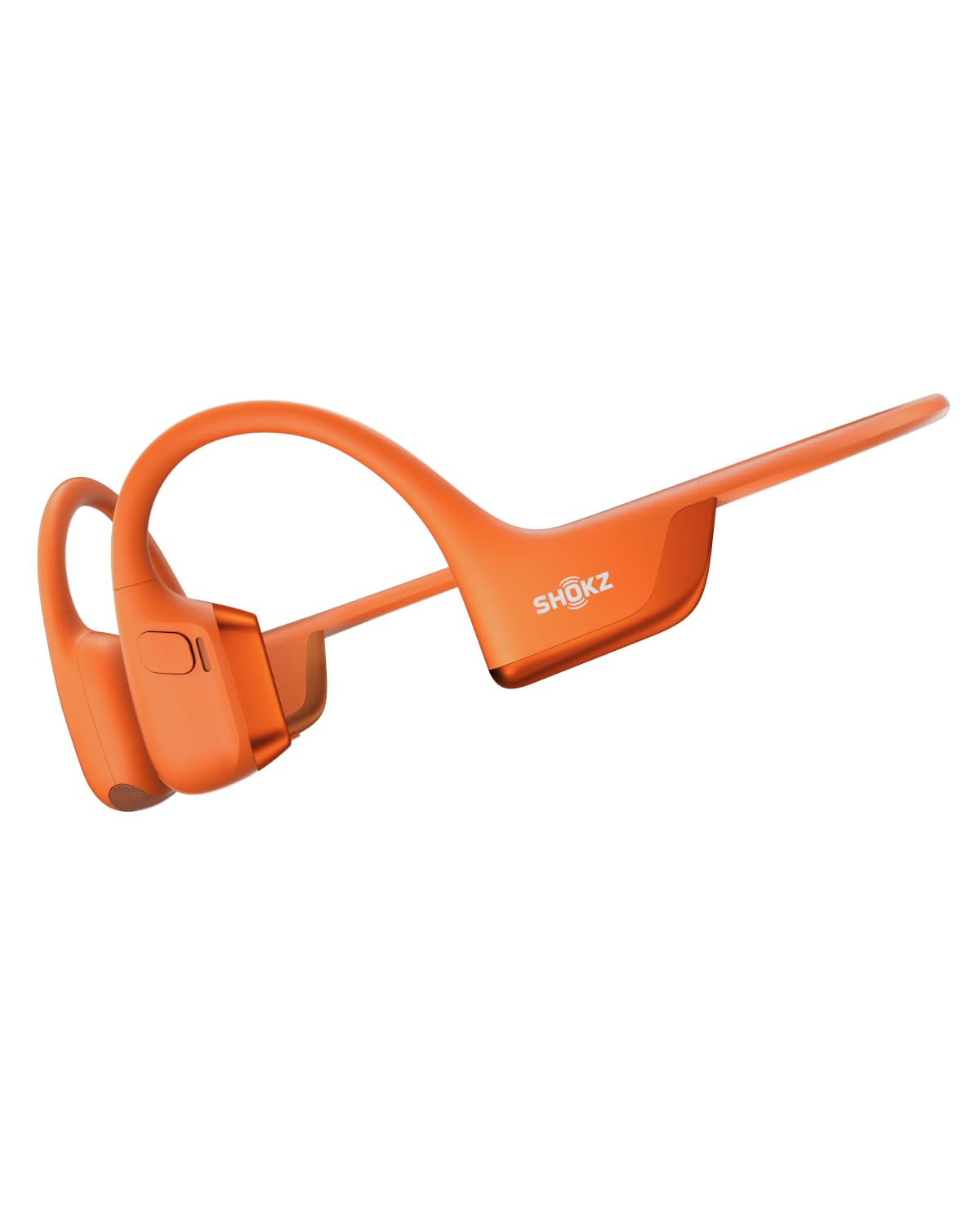
9,000+ ratings
Read Amazon ReviewsSHOKZ OpenRun Pro 2
Choose the OpenComm2 UC when computer meetings and a boom microphone are central to your routine.
Consider the OpenRun Pro 2 if your main use is music during workouts and you value its stated dual-driver audio and EQ options.
- The OpenRun Pro 2 is positioned for running and workouts, combining bone conduction and air conduction drivers, with up to 12 hours of audio and dedicated EQ modes.
- The OpenComm2 UC is designed for computer calls, with a boom microphone, Loop120 adapter, and physical mute control.
Battery-focused alternative
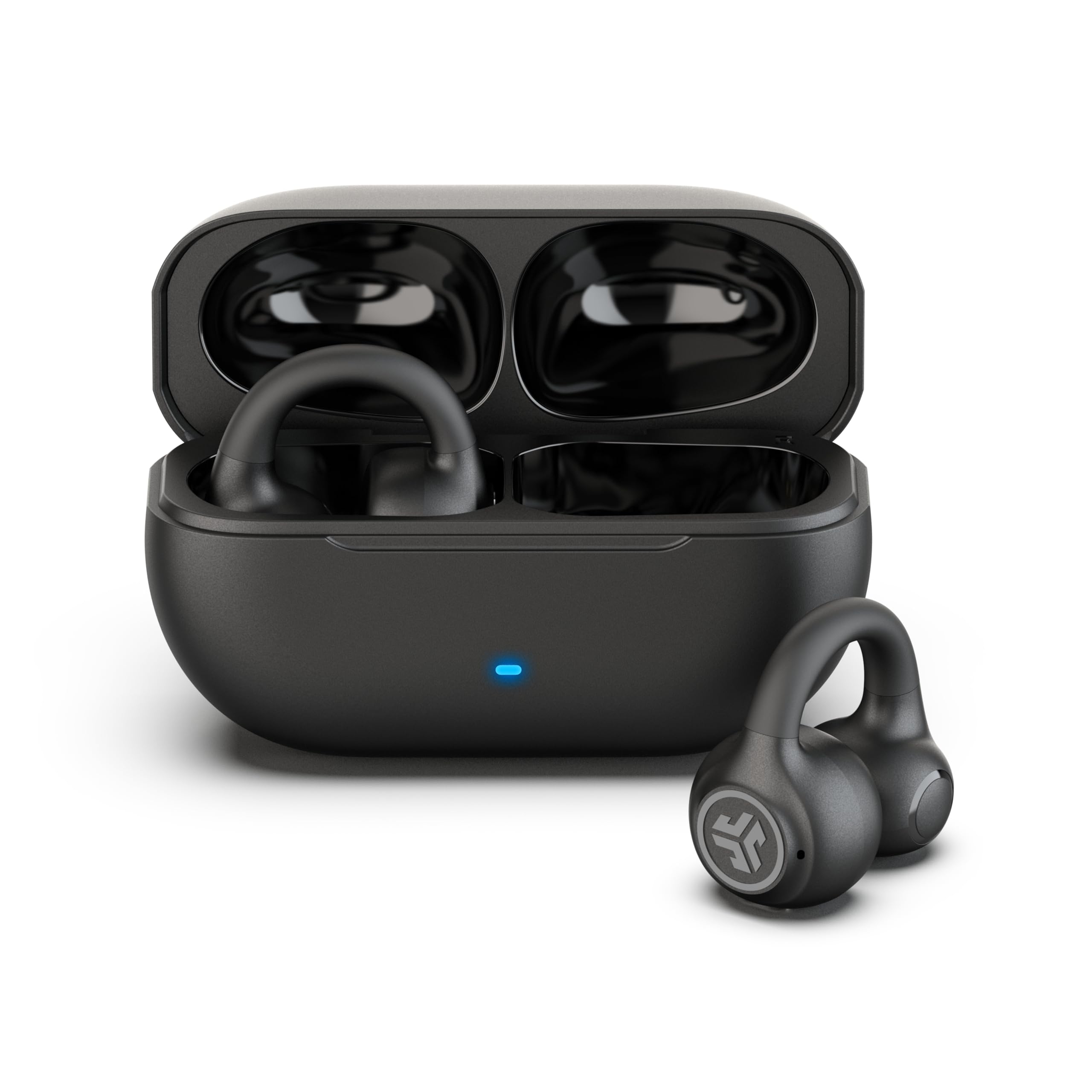
2,000+ ratings
Read Amazon ReviewsJLab Flex Open Ear Earbuds
The OpenComm2 UC is the more directly call-oriented choice if you want a boom microphone and the Loop120 computer adapter.
Consider the JLab Flex if you prefer a clip-on earbud form and want a charging case with multipoint pairing.
- The JLab Flex uses clip-on earbuds with open-ear speakers, Bluetooth multipoint, and an app-adjustable EQ; its listed battery figures are over seven hours per earbud and over 21 hours with the case.
- The OpenComm2 UC uses a wraparound bone conduction headset form and includes a computer-focused wireless adapter.
Is OpenComm2 UC Worth It?
The SHOKZ OpenComm2 UC is worth considering for people who spend much of the day on computer calls and want a lightweight, open-ear fit with a boom microphone, physical call controls, and a PC/Mac adapter.
Its listed talk time and quick-charge feature also suit a schedule where the headset sees regular use.
The decision hinges on fit and purpose: bone conduction will not suit everyone, and the design is more specialized than many casual listeners need.
If open-ear wear feels right and the call-focused features match your routine, it is a purposeful work headset; otherwise, choose around your preferred fit and primary use.
Your review at a glance
500+ ratings
Read Amazon ReviewsSHOKZ OpenComm2 UC
A lightweight fit, boom microphone, and USB-C adapter make this headset worth considering for people who take frequent computer calls.
- Open-ear bone conduction headphones with Shokz 7th-generation technology and PremiumPitch 2.0 audio.
- Noise-canceling boom microphone with DSP technology for call-focused use.
- Loop120 wireless adapter designed for PC and Mac; the headset is Zoom-Certified.
- Physical headphone buttons control volume, mute and unmute, and audio playback.