The Nulaxy 18" Height Telescopic 360 Rotating Aluminum Laptop Stand Desk review centers on a desk stand built for adjustable height, tilt, and screen sharing.
Its tall range and full rotation suit flexible workspaces, while the maker recommends an external keyboard and mouse for typing stability.
Nulaxy LS18 Review Summary
The quick verdict
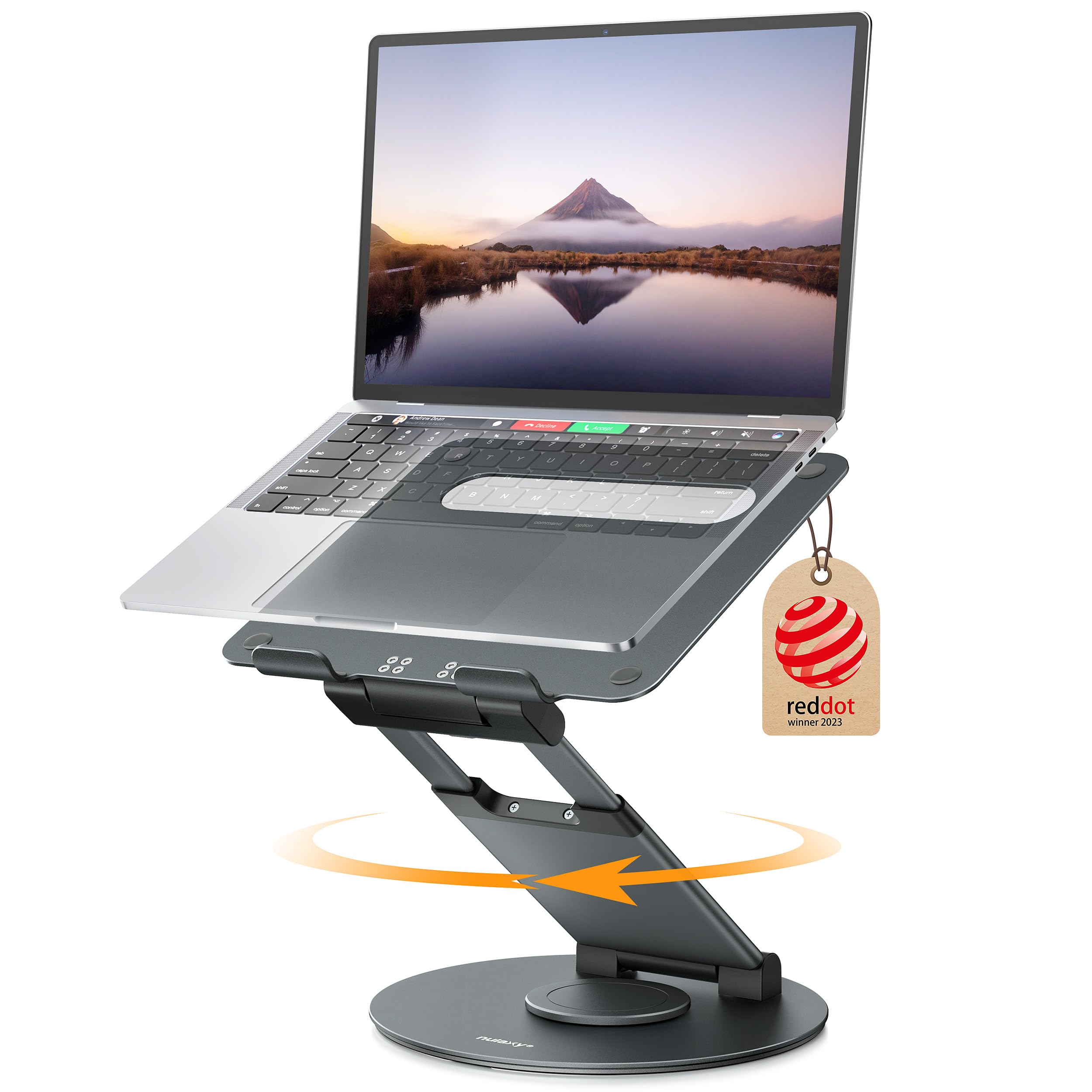
3,000+ ratings
Read Amazon ReviewsNulaxy LS18 Laptop Stand
A fit for desk users who want a tall, rotating laptop platform for screen sharing, standing work, or flexible viewing angles.
- Telescoping height adjustment reaches up to 18 inches for seated or standing desk use.
- The platform rotates 360 degrees to redirect the screen for collaboration or viewing.
- The viewing angle is adjustable to change the screen's tilt.
- Supports devices up to 17 inches and a stated maximum load of 22 pounds (10 kilograms).

Pros
- Combines substantial height adjustment with a rotating base, a useful pairing for changing between solo work and screen sharing.
- Angle adjustment adds another way to position the display for comfortable viewing.
Consider before buying
- For efficient typing, the product guidance recommends a separate keyboard and mouse; the laptop's own keyboard may feel unstable on the raised platform.
- At four pounds, it is a relatively substantial stand to move frequently between locations.
Read the full review summary
The LS18 combines a telescoping column, adjustable viewing angle, and a rotating base in a foldable aluminum stand.
Its height adjusts up to 18 inches, making it possible to position a laptop screen higher for standing work or lower for seated use; the base can turn so the display can face a collaborator.
It is designed for laptops and tablets up to 17 inches, with a stated support capacity of up to 22 pounds.
The most natural fit is someone who needs a movable screen position at a desk, meeting area, or presentation station and is comfortable pairing the stand with separate input devices.
The buying factors
Nulaxy LS18 Scorecard
Editorial scores reflect listed features and buyer fit; they are not laboratory measurements or customer ratings.
Height flexibility
Adjusts up to 18 inches, offering a broad range for seated and standing desk arrangements.
Screen sharing
The 360-degree rotating base is directly useful when turning a screen toward another person.
Viewing angle control
The platform angle adjusts as well as its height, allowing a more tailored view.
Device fit
The stated range covers laptops and tablets up to 17 inches, including common notebook brands.
Typing setup
The product guidance recommends an external keyboard and mouse because typing on the laptop itself may feel wobbly.
Portability and storage
It folds for storage, though its listed weight of four pounds makes it more substantial than a minimal riser.
Key Features and Specifications of Nulaxy LS18
- Telescoping height adjustment reaches up to 18 inches for seated or standing desk use.
- The platform rotates 360 degrees to redirect the screen for collaboration or viewing.
- The viewing angle is adjustable to change the screen's tilt.
- Supports devices up to 17 inches and a stated maximum load of 22 pounds (10 kilograms).
- Aluminum and silicone construction; listed weight is four pounds.
- Foldable design allows the stand to be stored when not in use.
- Includes a two-year manufacturer warranty.
Pros and Cons of Nulaxy LS18
Pros
- Combines substantial height adjustment with a rotating base, a useful pairing for changing between solo work and screen sharing.
- Angle adjustment adds another way to position the display for comfortable viewing.
- Broad compatibility includes laptops and tablets up to 17 inches.
- Folds for storage and has a stated 22-pound capacity.
Consider before buying
- For efficient typing, the product guidance recommends a separate keyboard and mouse; the laptop's own keyboard may feel unstable on the raised platform.
- At four pounds, it is a relatively substantial stand to move frequently between locations.
- The manufacturer advises removing the device before changing height or angle, adding a step when repositioning the setup.
Who Should Buy Nulaxy LS18?
Good fit
Consider the Nulaxy LS18 if a conventional low riser does not provide enough height and you want to move the screen between seated and standing positions.
Its 18-inch maximum adjustment and tilt control give you flexibility to shape the display position around the desk and your preferred viewing posture.
The rotating base is especially relevant in shared work areas, where you may want to turn the screen toward someone else without shifting the whole stand.
It can also suit a presentation surface or workbench that needs a raised display, provided the stand's desktop footprint and height range work for your setup.
Plan for a separate keyboard and mouse if you will type for extended periods.
That arrangement makes the laptop primarily a screen while your hands stay at desk level, and follows the product's own recommendation for a steadier typing experience.
Who should skip it
Skip this design if you want a compact, low-profile riser that stays in one position.
Its tall telescoping column and rotating base are aimed at changing display position, and may be more hardware than a simple fixed-height desk setup needs.
It may also be a poor fit if you expect to type directly on the laptop while it is raised. Check whether a separate keyboard and mouse fit your workspace before choosing this stand for regular work.
How the Nulaxy LS18 Fits an Adjustable Desk
Height range for changing work posture
The stand adjusts to a maximum height of 18 inches, so it can raise the screen well above a basic desktop riser.
That range can help users arrange the display for either seated or standing work, but the right setting depends on desk height and the user's preferred screen position.
Rotation is useful in shared spaces
A 360-degree rotating base addresses a specific desk task: redirecting the screen toward a nearby person.
This can make collaboration easier when sharing a document or joining a discussion from the workstation, without requiring the laptop to be lifted and repositioned by hand.
Separate the display from the typing surface
The stand elevates the laptop itself, and the product guidance points out that typing on its keyboard may feel wobbly.
A separate keyboard and mouse create a more practical arrangement for longer sessions, letting the laptop serve mainly as the display while input stays at desk level.
Check the full setup before adjusting
The platform angle can be adjusted, and the stand folds for storage. The maker recommends removing the laptop or tablet before changing height or angle, so repositioning is a deliberate two-step task.
Consider how often you expect to adjust it and whether you have room to set the device aside briefly.
Alternatives to Nulaxy LS18
Laptop Stands alternative
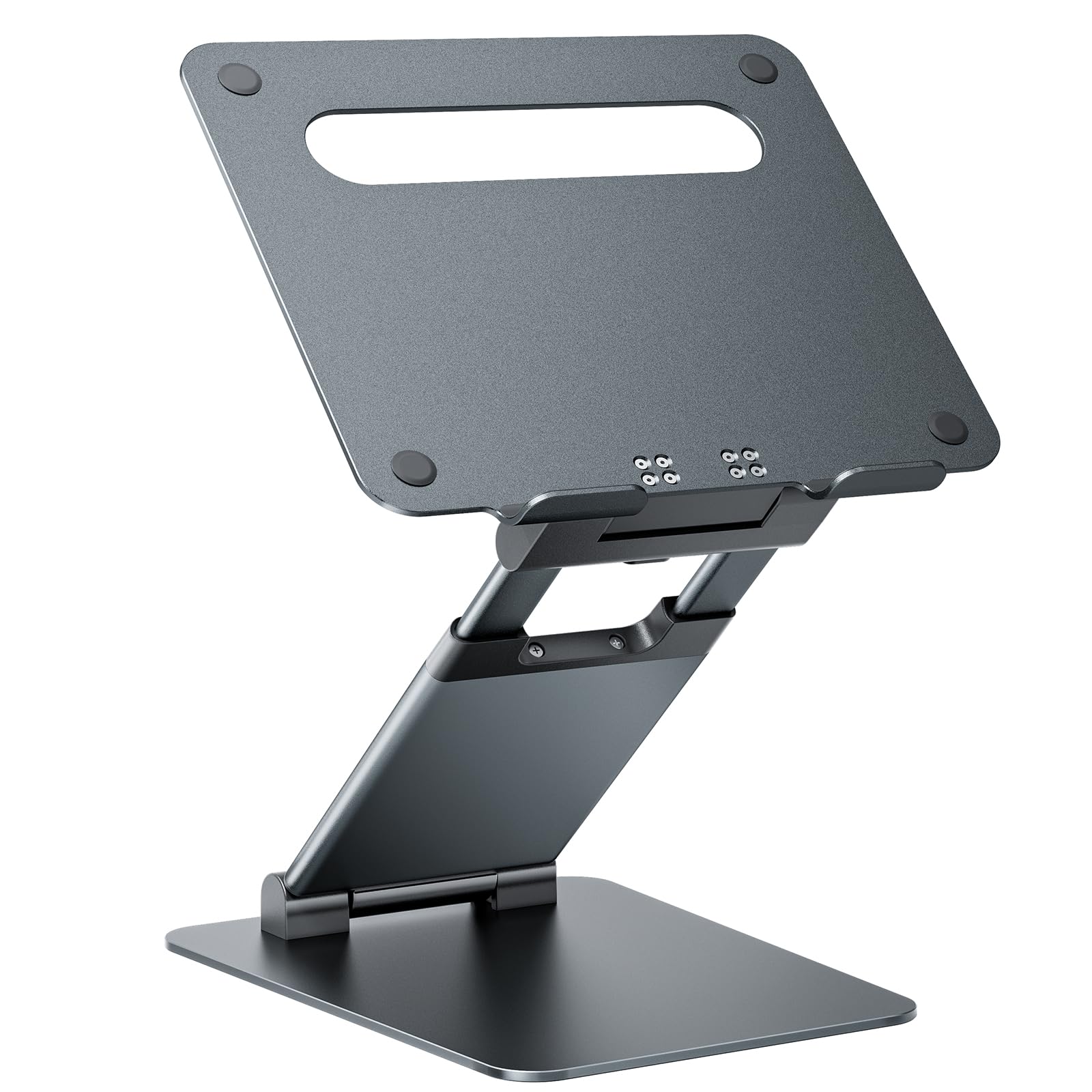
8,000+ ratings
Read Amazon ReviewsNulaxy C5 Pull-Out Height Adjustable Laptop Stand
Choose the C5 if maximum height range is the priority and you do not need the LS18's 360-degree screen rotation. The LS18 is the more direct fit when turning the display for collaboration is central.
- The C5 adjusts from 1.2 to 20 inches, offers adjustable tilt, and folds; its description specifies a fixed base rather than a rotating one.
- The LS18 reaches up to 18 inches and adds a rotating base for turning the screen toward others.
Laptop Stands alternative
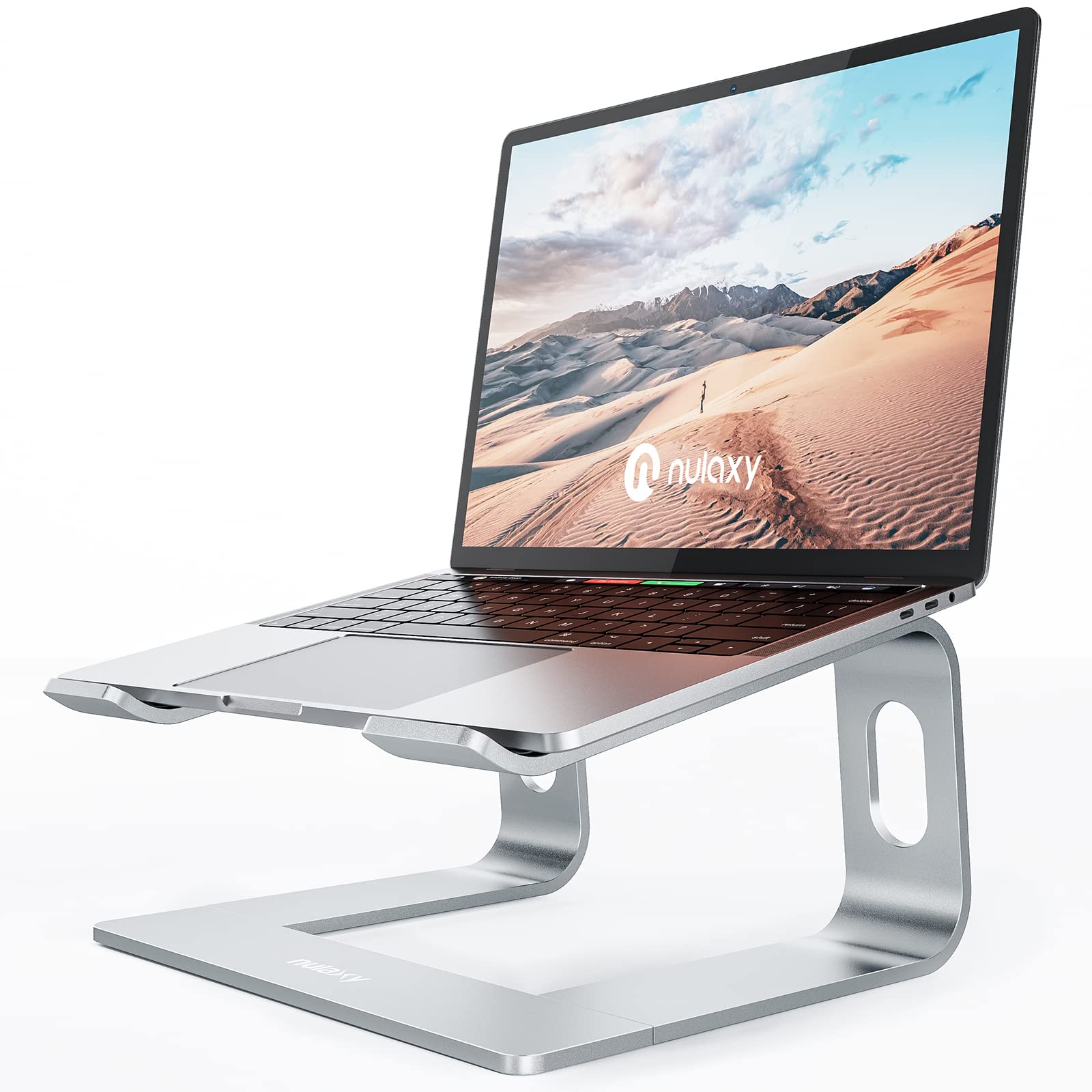
36,000+ ratings
Read Amazon ReviewsNulaxy C3 Aluminum Laptop Stand
Consider the C3 for a simpler, lower screen lift and compact storage after disassembly. The LS18 better suits users who need a standing-height position or a screen that can rotate toward another person.
- The C3 is a detachable aluminum riser that elevates a laptop up to six inches and supports devices from 10 to 16 inches; its open design is described as aiding airflow.
- The LS18 is a tall, adjustable platform designed for changing screen height and direction.
Is Nulaxy LS18 Worth It?
The Nulaxy LS18 is worth considering if your desk routine benefits from a screen that can rise, tilt, and turn.
Its strongest case is the combination of up to 18 inches of height adjustment and 360-degree rotation, particularly for shared workspaces and sit-to-stand setups.
Before buying, make sure the stand's substantial adjustable design suits your desk and that you can use a separate keyboard and mouse for typing.
If you need only a modest fixed lift, a simpler riser may be a better match.
Your review at a glance
3,000+ ratings
Read Amazon ReviewsNulaxy LS18 Laptop Stand
A fit for desk users who want a tall, rotating laptop platform for screen sharing, standing work, or flexible viewing angles.
- Telescoping height adjustment reaches up to 18 inches for seated or standing desk use.
- The platform rotates 360 degrees to redirect the screen for collaboration or viewing.
- The viewing angle is adjustable to change the screen's tilt.
- Supports devices up to 17 inches and a stated maximum load of 22 pounds (10 kilograms).