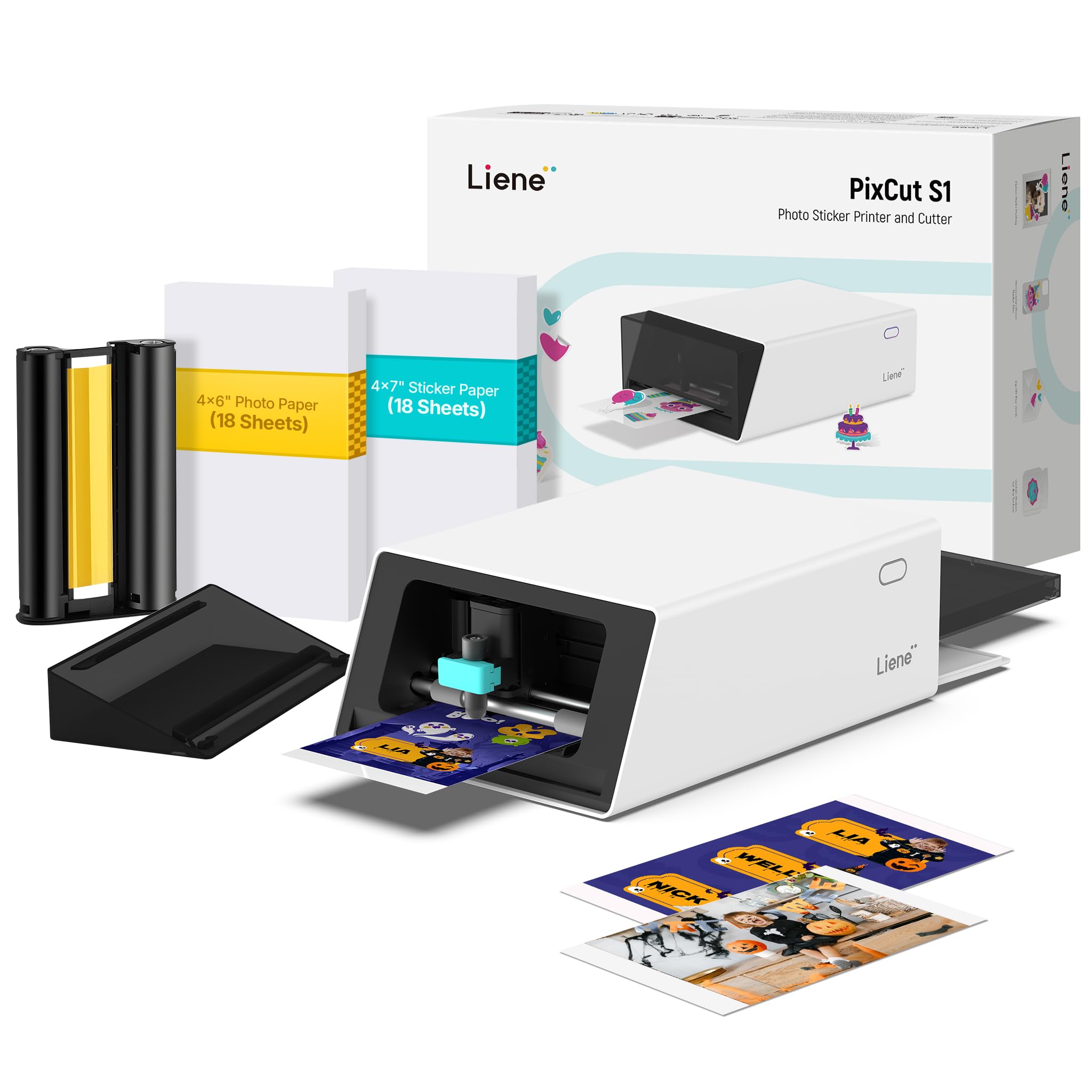
The Liene PixCut S1 Color Sticker Printer & Cutting Machine review is for anyone considering a single device for printing and cutting custom stickers.
Its app-based workflow, AI image extraction, and built-in laminating process are aimed at personal crafts, labels, and gifts.
Liene PixCut S1 Review Summary
The quick verdict
700+ ratings
Read Amazon ReviewsLiene PixCut S1
A fit for craft makers and families who want to turn photos and designs into colorful cut stickers from a mobile or desktop app.
- Prints and cuts in one device using thermal dye-sublimation printing and a built-in cutting system.
- The printer is rated at 300 dpi and supports 16.7 million colors for photo, sticker, and label designs.
- AI image extraction recognizes and separates subjects in photos to prepare them for custom sticker designs.
- The Liene Photo App includes AI styling, templates, fonts, and more than 50,000 free images and design elements, plus over 10,000 templates.

Pros
- Combines printing and die cutting in one workflow, which can simplify small custom sticker projects.
- AI subject extraction can help prepare a photo for a cutout design without starting with a manually isolated image.
Consider before buying
- The integrated workflow depends on the Liene app, so buyers should check compatibility with their devices and preferred way of designing.
- The supplied description focuses on individual craft and personalization projects; buyers planning larger or production-scale runs should confirm that the workflow and materials suit their volume.
Read the full review summary
The PixCut S1 combines thermal dye-sublimation color printing and die cutting, so the basic workflow does not require a separate printer and cutter.
The Liene app supports editing and printing from a phone over Bluetooth, and includes templates, design elements, and an AI Lab for creating stylized images.
It is best suited to people making personalized stickers, labels, or small creative projects who value a guided, integrated process.
Its compact stated footprint may be easier to accommodate than multiple devices, though buyers should check that the app's supported devices and available materials fit their own project plans.
The buying factors
Liene PixCut S1 Scorecard
Editorial scores reflect listed features and buyer fit; they are not laboratory measurements or customer ratings.
All-in-one workflow
Printing and cutting are integrated, reducing the number of separate steps and devices in a typical sticker project.
Design tools
AI subject extraction, an AI art feature, templates, fonts, and other design elements give users several starting points.
Color detail
The stated 300 dpi resolution and 16.7 million color capability suit colorful photo and illustration projects.
Material protection
A four-layer dye-sublimation process laminates the photo paper during printing; the description characterizes the resulting stickers as waterproof and scratch-resistant.
Creative versatility
Suggested projects span stickers, labels, badges, phone skins, journaling, and other personalized creations.
Setup flexibility
The app is described for mobile, tablet, and desktop, while the printing workflow specifically mentions smartphone Bluetooth; buyers should confirm their preferred device setup.
Key Features and Specifications of Liene PixCut S1
- Prints and cuts in one device using thermal dye-sublimation printing and a built-in cutting system.
- The printer is rated at 300 dpi and supports 16.7 million colors for photo, sticker, and label designs.
- AI image extraction recognizes and separates subjects in photos to prepare them for custom sticker designs.
- The Liene Photo App includes AI styling, templates, fonts, and more than 50,000 free images and design elements, plus over 10,000 templates.
- Four-layer thermal dye-sublimation printing laminates the photo paper during printing; the resulting stickers are described as waterproof and scratch-resistant.
- The device measures 11 inches deep by 7.7 inches wide by 4.1 inches high and weighs 6.2 pounds.
Pros and Cons of Liene PixCut S1
Pros
- Combines printing and die cutting in one workflow, which can simplify small custom sticker projects.
- AI subject extraction can help prepare a photo for a cutout design without starting with a manually isolated image.
- The app provides a broad selection of templates and creative elements, along with AI image styling.
- The automatic lamination process is intended to help stickers resist water and scratches.
Consider before buying
- The integrated workflow depends on the Liene app, so buyers should check compatibility with their devices and preferred way of designing.
- The supplied description focuses on individual craft and personalization projects; buyers planning larger or production-scale runs should confirm that the workflow and materials suit their volume.
- The description does not specify the included paper quantity or ongoing material costs, so those details are useful to confirm before budgeting for regular use.
Who Should Buy Liene PixCut S1?
Good fit
Consider the PixCut S1 if you want to make personalized stickers from photos, illustrations, or app-based templates and prefer printing and cutting in one machine.
The AI extraction feature is especially relevant when your starting point is a photo and you want to turn its subject into a sticker design.
It also makes sense for family craft sessions, labels, journaling, and small gifts, where varied templates and a guided app workflow can help people get started.
The laminating step may appeal when you want finished stickers designed to handle everyday contact with moisture or surface abrasion.
Who should skip it
Look elsewhere if your work depends on high-volume production or a specific material workflow that is not confirmed here. Before buying, check the supported device setup, consumable options, and per-project costs against your intended routine.
It may be a poor fit if you want to design entirely outside the Liene app or need a workflow built around equipment and materials you already own; confirm those requirements before choosing an integrated system.
What the Liene PixCut S1 Means for Sticker Projects
A shorter path from image to sticker
The main practical appeal is combining color output and cutting in one device. AI image extraction is designed to identify a subject in a photo, while the cutter follows the prepared design's edges.
That can make personalized cutouts more approachable for casual projects, though the description does not establish how the system handles every image or intricate shape.
Color printing and built-in lamination
Thermal dye-sublimation printing, 300 dpi resolution, and a stated 16.7 million colors position the S1 for colorful images rather than simple monochrome labels.
The four-layer process laminates the paper during printing, a useful design choice for finished stickers that may be handled or exposed to splashes. For a project with specific durability demands, check whether the available sticker material is appropriate.
Creative options through the app
Templates, fonts, design elements, and AI styling give beginners multiple routes from an idea to a printable design.
The description identifies mobile, tablet, and desktop app availability and mentions smartphone Bluetooth printing, so buyers should verify that their own device supports the workflow they plan to use.
Space, supplies, and project scale
At 11 by 7.7 by 4.1 inches and 6.2 pounds, the S1 is a self-contained desktop device.
Its format appears oriented toward personal craft projects; the supplied details do not establish production speed across larger batches or the cost of replacement materials. Frequent users should compare supply availability and per-sticker costs before committing.
Alternatives to Liene PixCut S1
No alternative model is recommended here. Compare the design tools, material workflow, and project capacity that matter to your routine before choosing another option.
Is Liene PixCut S1 Worth It?
The Liene PixCut S1 is worth considering if you want an integrated way to make colorful, personalized stickers and value app-based design help.
Its combination of printing, cutting, AI image extraction, and automatic lamination addresses the main steps in a small craft project.
Buy it after confirming app compatibility and the supply costs for your planned use. For occasional stickers, labels, and gifts, its design looks convenient; buyers with demanding volume or material requirements should verify those details first.
Your review at a glance
700+ ratings
Read Amazon ReviewsLiene PixCut S1
A fit for craft makers and families who want to turn photos and designs into colorful cut stickers from a mobile or desktop app.
- Prints and cuts in one device using thermal dye-sublimation printing and a built-in cutting system.
- The printer is rated at 300 dpi and supports 16.7 million colors for photo, sticker, and label designs.
- AI image extraction recognizes and separates subjects in photos to prepare them for custom sticker designs.
- The Liene Photo App includes AI styling, templates, fonts, and more than 50,000 free images and design elements, plus over 10,000 templates.